AI Suit & Mafia Boss Filter
Turn an ordinary selfie into a sharp-suited power move in seconds. SharkFoto's AI suit filter dresses the person in your photo in a tailored suit and animates a confident, cinematic entrance — a mafia don's slow turn, a Wall Street strut, a London-elite glare. Sign up free to get 10 credits, pick a suit effect like Suit Swagger, Wall Street Power, or Black Mafia Boss, and download your clip — a full-resolution MP4 with no watermark — ready to post. It's a playful, movie-style transformation, not a claim that any of it really happened.
 PopularSuit Swagger
What is an AI suit filter?
An AI suit filter takes a photo of a person and generates a short video in which they appear dressed in a tailored suit, moving with the swagger of a boss or crime-movie lead. You upload a photo, pick a suit effect, and the model both restyles the outfit and animates a cinematic entrance, exporting a few-second MP4 you can share.
All suit & boss effects
Six AI suit and boss effects — a Godfather turn, a Wall Street strut, a London-elite glare. Pick one to start.





Before & after
An everyday selfie, suited up like a boss.
 BeforeAfter
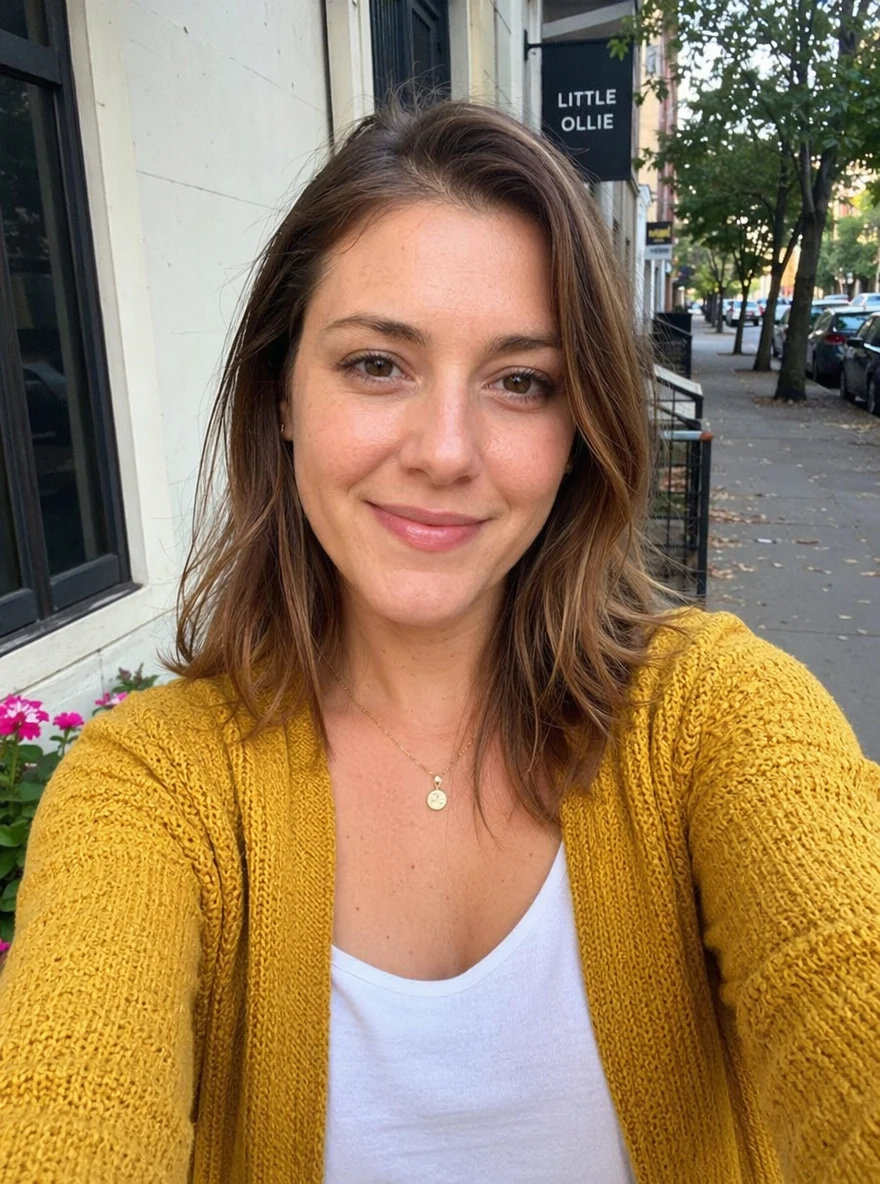 BeforeAfter
 BeforeAfter
Man Gray Tee
How to make an AI suit video
Three steps, right in your browser.
Upload your photo
Drag in or select a clear photo of the person you want to suit up. A well-lit, front-facing half-body shot where the face and shoulders are visible gives the AI the most to work with. Your photo is used only to make your video.
Pick a suit effect
Sign in for your 10 free credits, then choose a look — Suit Swagger for a clean tailored strut, Wall Street Power for finance-floor energy, or Black Mafia Boss for a cinematic don. The AI restyles the outfit and adds a confident entrance so it feels like a movie cut, not a paste-on.
Download and share
Watch the preview, then download your clip as a full-resolution MP4 with no watermark. Post it, use it as an intro, or drop it into a reel right away.
What you can make
Popular ways people use the suit filter.
Boss-energy posts
Turn a plain selfie into a suited, slow-motion power entrance for a punchy social post or a profile that says you mean business.
Mafia-movie roleplay
Cast yourself as the don for a fun crime-movie skit or a Godfather-style meme — a playful mock scene, not a real threat.
Finance & founder vibes
Give a founder update, pitch teaser, or hustle post a Wall Street power-broker entrance without booking a shoot.
Reels & intro clips
Open a video, stream, or drop with a few seconds of suited swagger that sets the tone before you even speak.
Fun for friends
Suit up a buddy from a group-chat photo for a birthday roast or an inside joke — a novel clip nobody else will have.
Glow-up transformations
Show a casual-to-cinematic before-and-after: the same face, suddenly dressed like the lead of the movie.
Styles to choose from
From a Godfather-style don to a Wall Street power broker — pick the boss energy that fits.
Suit swagger
The core look: a clean tailored suit with a confident, camera-ready strut.
Wall Street power
A finance-floor power broker in a crisp suit, all glass, gloss, and ambition.
Mafia boss
A shadowy crime-movie don — dark suit, heavy stare, cinematic Godfather energy.
London elite
Old-money British style: a refined bespoke suit and a cool, composed glare.
Why use SharkFoto's suit filter
Suit restyle plus motion
The AI does two jobs at once: it dresses the person in a tailored suit and animates a confident entrance, so the result reads like a film cut rather than a still with a costume painted on.
Multiple boss looks
Go from a clean Suit Swagger strut to a shadowy mafia don, a Wall Street power broker, or a London-elite glare — several distinct cinematic styles from a single photo.
Works from one selfie
No wardrobe, no film crew, no editing skills. One clear photo is enough to generate a suited clip that keeps your face recognizable.
10 free credits, no watermark
Sign up free and get 10 credits to start generating clips. Each video downloads as a full-resolution MP4 with no watermark, so it's clean enough to post or share anywhere.
Tips for the best results
Use a clear, front-facing half-body photo — the AI can fit the suit to your shoulders and torso and animate a natural entrance when it can see your upper body.
Pick a photo with the face well lit — even lighting keeps your likeness sharp so the boss still clearly looks like you.
Keep the background simple — busy or cluttered backgrounds can warp as the AI adds cinematic movement.
Avoid heavy hats or sunglasses in the source — a visible face reads as more confident and lifelike once suited and moving.
Start from the highest-resolution photo you have — low-res or heavily compressed images limit how sharp the final clip can be.
Frequently asked questions
Is the AI suit filter really free?
What kind of photo works best?
Do I get an image or a video?
How long does it take to generate a suit video?
Is the mafia-boss look going to get me in trouble?
Is my photo safe and private?
Can I use my AI suit video commercially?
What if the suit or motion looks off?
Related AI effects
More AI effects to reinvent your look.