- "strength": 0.874,
- "audio": "",
- "output_format": "wav"
Up to 10 minutes.
AI Audio Enhancer
Remove background noise from audio online. Upload a recording and the AI cleans up hiss, hum, fans, traffic and room noise, evens out the loudness, and gives you a clearer voice track to download.
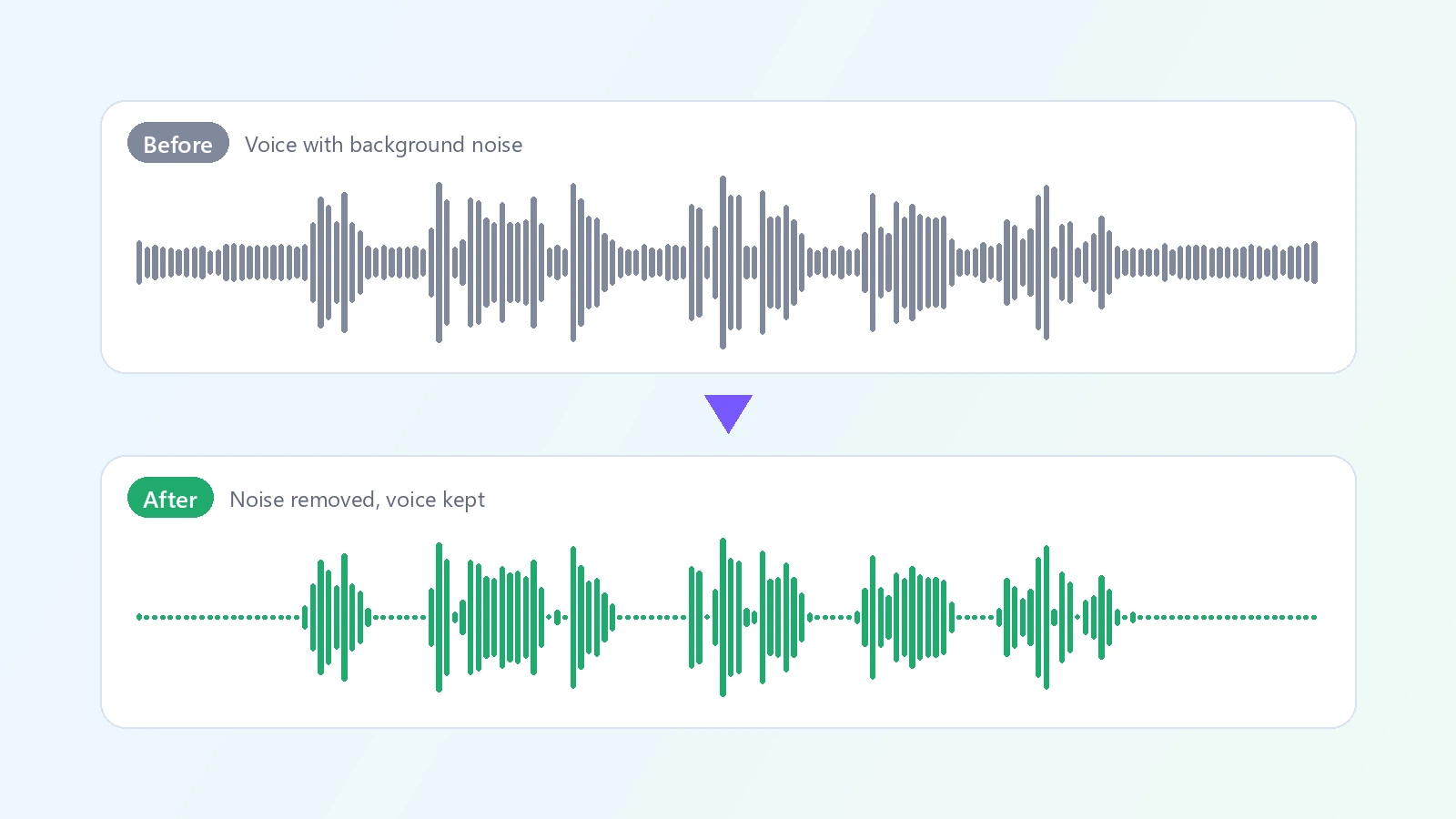
Good content is often recorded in bad conditions: a laptop fan under an interview, traffic outside the window, an air conditioner, the hiss of a cheap microphone, the hum of a power supply. Fixing that by hand means noise profiles, gates and equalizers, and it is easy to end up with a voice that sounds underwater. An AI audio enhancer does the cleanup automatically. You upload a recording, and the model separates the speech from everything behind it, turns the background noise down, and brings the voice to a consistent, comfortable loudness. The words, the pacing and the length of the recording stay the same - only the noise is reduced. You choose how hard it works: Standard for everyday recordings, Light when you want to keep some natural room tone, Strong when the noise is heavy. The result is a WAV file that drops straight into a video editor or a podcast tool. People use it to clean up podcast episodes and interviews, voiceovers recorded at home, lectures and webinars, video calls and meeting recordings, and voice memos captured on a phone. It is built for speech, so it is the right tool when someone is talking and the background is in the way.
At a glance
Cleaner speech
The voice stays, the noise goes.
Background noise reduced
Hiss, hum, fans, traffic and room noise are turned down behind the voice.
Even loudness
The voice is brought to a consistent level, so listeners do not have to ride the volume.
You stay in control
Three strengths.
Light, Standard or Strong
Keep more of the natural room sound, or remove as much noise as possible.
Same recording, same length
Nothing is cut or re-timed. It still lines up with your video.
Simple and affordable
No audio software needed.
One upload
No noise profile to capture and no plugins to learn.
Pay by length
The price follows the length of the recording and is shown before you start.
How to remove background noise from audio
Upload, pick the strength, download.
Upload your recording
MP3, WAV, M4A, FLAC or OGG, up to 10 minutes. Podcasts, interviews, voiceovers and meeting recordings work best.
Choose the noise reduction
Standard suits most recordings. Use Light to keep more of the room sound, or Strong for very noisy audio.
Listen and download
Play the cleaned recording on the page and download it as a WAV file.
What people use it for
Podcasts
Clean up episodes recorded at home or on the road.
Voiceovers
Remove hiss and room noise from narration.
Interviews
Make both voices easier to understand.
Video audio
Clean the audio track of a vlog, a tutorial or a course.
Meetings and lectures
Make recordings easier to listen to and to transcribe.
Voice memos
Rescue a note recorded on a phone in a noisy place.
Frequently asked questions
How do I remove background noise from audio?
Is this audio enhancer free?
What kinds of noise does it remove?
Will it change my voice?
Does it work on music?
How long can the recording be?
What format do I get?
Can I use it on the audio of a video?
Does it make quiet recordings louder?
Which setting should I use?
Good to know
Made for speech — It treats everything that is not a voice as noise. Do not use it on music or on recordings where you want to keep background music.
It cleans, it does not re-record — A distant, muffled or clipped voice will be cleaner but will not sound like a studio microphone.
Strong can sound processed — Very heavy noise reduction can thin out the voice. Try Standard first.
Audio files only — Upload the audio track. To pull speech out of a song, use the AI Vocal Remover instead.
Related tools & models
Let the voice come through
Upload a recording and remove the background noise.