- "size": "auto",
- "quality": "low",
- "subject": ,
- "strength": "Blur everything behind it clearly, as if shot with an 85mm lens at f/2: the background is obviously out of focus with soft bokeh.",
- "images": [],
- "output_format": "jpeg"
Fast and affordable. About 1.5 megapixels - great for social posts and profile photos. Photos up to 20 MB.
No effects available
Blur Background
Blur the background of a photo in one click. Upload a picture, choose a light, medium or strong blur, and the AI keeps your subject sharp while the background melts into soft, camera-style bokeh - the portrait-mode look, for any photo.
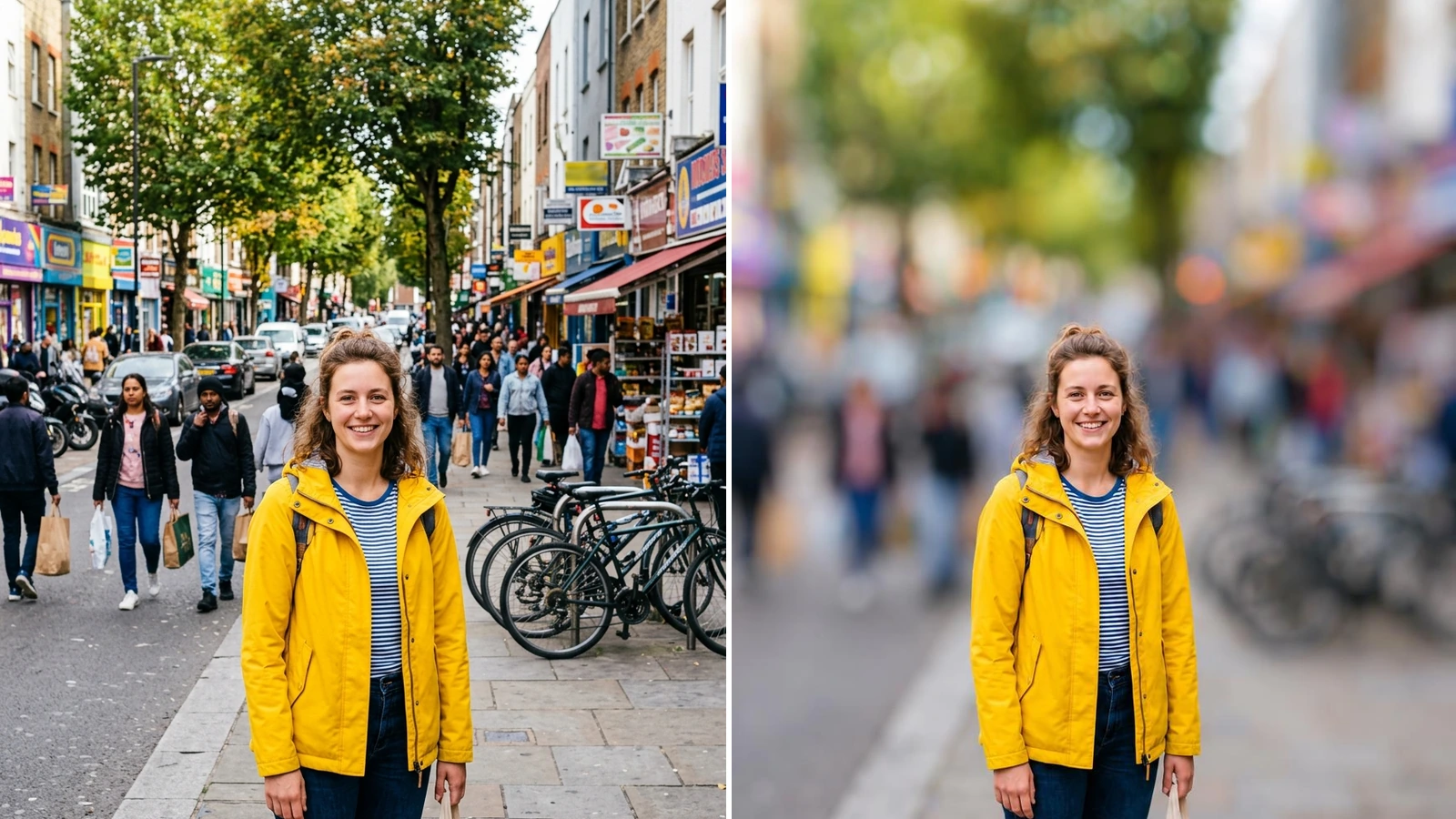
A blurred background does two things at once: it removes distractions and it makes the subject stand out. Cameras do it with a wide aperture, phones do it with portrait mode - but only if you remembered to switch it on, and only at the moment you took the picture. This tool adds the effect afterwards. Upload a photo and the AI works out what the subject is - a person, a couple, a pet, a product on a desk - keeps it crisp, and blurs everything behind it the way a fast lens would, with the blur growing stronger with distance instead of a flat smear. You choose how far to go: a light blur that just softens a busy street, a medium blur that looks like a portrait lens, or a strong blur that dissolves the background into color and light. If the photo has several possible subjects, type what should stay in focus and the rest is blurred. It works in the browser on a phone or a computer, so there is no app to install and no manual masking or brushing - a quick way to blur the background of a picture for a profile photo, a product listing or a post.
At a glance
Portrait mode for any photo
Add the effect after the shot.
Subject stays sharp
People, pets and objects are kept crisp and recognizable while only what is behind them goes out of focus.
Natural lens blur
The blur looks like a wide-aperture lens, with soft bokeh and smooth edges, rather than a flat filter over the picture.
Three blur strengths
Pick how much to hide.
Light, Medium, Strong
From a gentle softening that keeps the place recognizable to a creamy blur where the background becomes pure color.
Tell it what to keep
Optionally name the subject - the woman in the yellow jacket, the blue mug - when a photo has more than one candidate.
No masking, no app
One upload, one click.
Works in the browser
Use it on iPhone, Android or a computer without installing an editing app or learning layers and brushes.
Standard or HD
Standard is fast and low-cost, ideal for social posts and profile pictures; HD gives a 2K file with more detail for listings, prints and larger screens.
How to blur the background of a photo
From busy background to portrait-style blur in three steps.
Upload your photo
Any JPG, PNG or WebP works - a portrait, a pet, a product, a group shot. The framing of your picture stays the same.
Choose the blur strength
Light keeps the scene recognizable, Medium gives a classic portrait look, Strong turns the background into smooth bokeh. Optionally say what should stay in focus.
Download the result
Compare before and after with the slider, try another strength if you like, and save the photo - Standard for everyday use, HD for a 2K file.
What people use it for
Profile and portrait photos
Turn a casual snapshot into a clean portrait by blurring the room or street behind you.
Product photos
Hide a cluttered desk or shelf so the item you are selling is the only thing in focus.
Pet photos
Make your dog or cat stand out against a busy garden, park or living room.
Hiding distractions
Blur passers-by, messy rooms and signs in the background without cropping the picture.
Social media posts
Give photos for Instagram, LinkedIn or a dating profile a more professional, shot-on-a-camera look.
Fixing photos taken without portrait mode
Add depth of field to pictures shot with a normal camera mode or an older phone.
Frequently asked questions
How do I blur the background of a photo?
Is this blur background tool free?
Can I blur the background on iPhone or Android?
How much blur should I choose?
How does it know what to keep sharp?
Will it change how I look?
Can I blur the background of a product photo?
Does it work with group photos?
What is the difference between this and a background remover?
Can I blur the whole picture or only one part?
Good to know
The photo is redrawn, not masked — The AI recreates the picture with a blurred background, so tiny details such as small text or fine patterns on the subject can change slightly. Check the result before using it for anything official.
Unusual shapes are fitted to a standard ratio — The result uses the closest common aspect ratio to your photo, so very wide or very tall images can be trimmed a little at the edges.
It blurs the background, not a chosen spot — The tool is built for depth-of-field blur behind a subject. To hide a single face, a license plate or one object, an object remover is a better fit.
Related tools & models
Make your subject stand out
Upload a photo and blur the background in under a minute. Free to try, nothing to install.