- "image": ""
A textured 3D model in about a minute.
Image to 3D Model
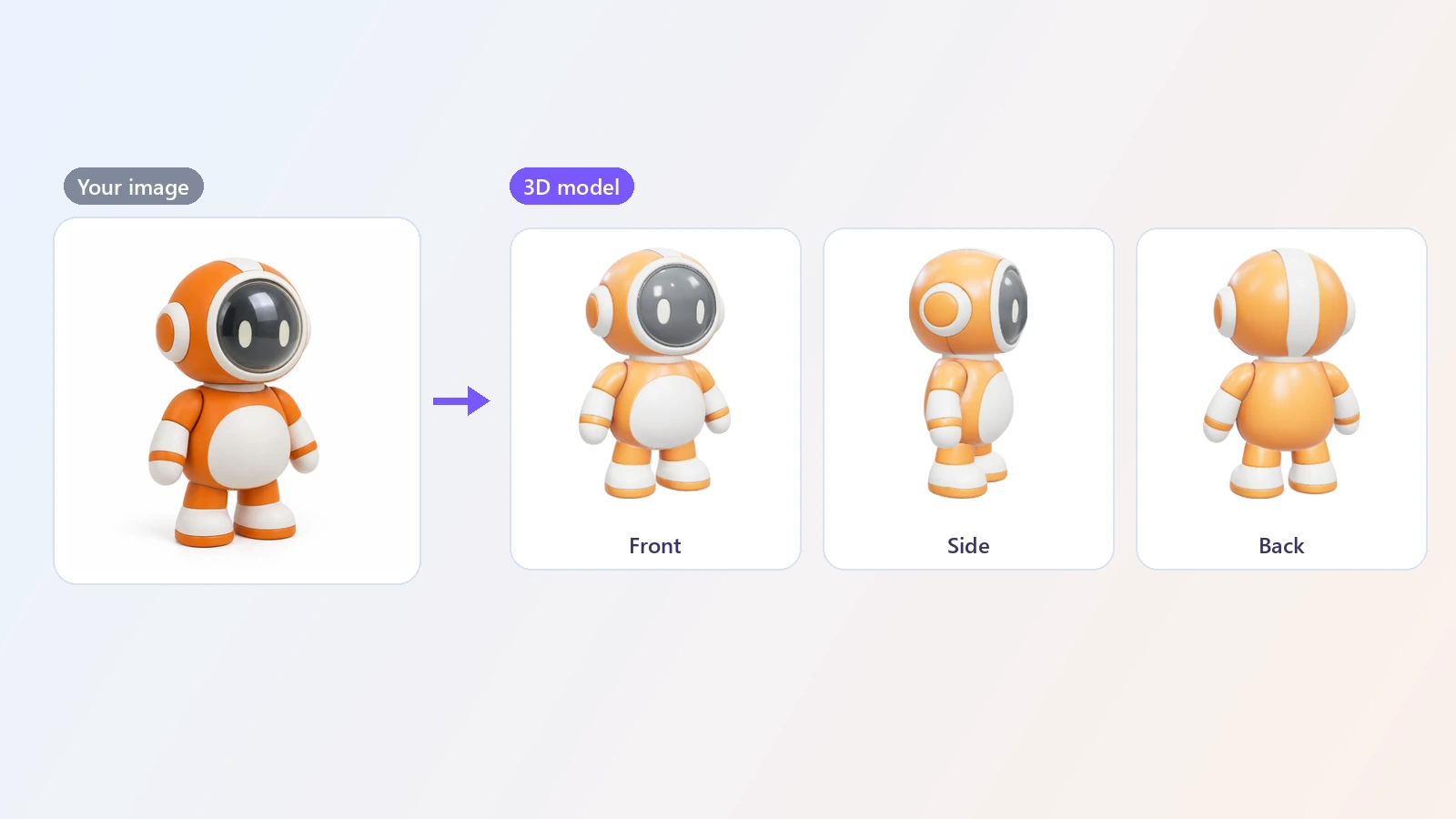
Turn a picture into a 3D model. Upload one image of an object, a character or a product, and the AI builds a textured 3D model you can rotate in the browser and download as a GLB file - in about a minute.
Making a 3D model by hand takes modeling skills and hours of work, even for a simple object. An image to 3D generator gives you a starting point from a single picture. You upload a photo or an illustration, and the AI estimates what the object looks like from every side - including the back it cannot see - and builds a three-dimensional mesh of it. The result appears in an interactive viewer right in the browser, so you can turn the model around and zoom in before you decide to keep it, and it downloads as a GLB file, a standard format that opens in Blender, Unity, Unreal Engine, Godot and most other 3D tools. The picture can be a product photo, a toy, a piece of furniture, a character drawing, a logo or an image you made with an AI image generator; pictures with one clear subject on a simple background convert best. People use it to block out assets for games, to get a base mesh for sculpting, to make a rough model for 3D printing, to preview a product in 3D, and to bring 2D concept art into a 3D scene. It will not replace a finished, hand-built model, but it turns the first hours of modeling into a minute or two.
At a glance
From one picture
No photo set and no scanning.
A single image is enough
Upload one photo or drawing. The AI fills in the sides and the back of the object.
Photos and artwork
Product shots, toys, furniture, characters and AI-generated images all work.
See it before you download
A real 3D preview, not a turntable video.
Interactive viewer
Rotate the model with your mouse or finger and open the large view to zoom in.
Standard file
Download a GLB file that opens in Blender, Unity, Unreal Engine and other 3D software.
Fast start for 3D work
Skip the blank scene.
Standard or Pro
Standard gives a textured model in about a minute. Pro takes about 3 minutes for cleaner geometry and finer detail.
No modeling skills
You do not need to know how to model to get a usable base mesh.
How to convert an image to a 3D model
One picture in, one model out.
Upload an image
JPG, PNG or WebP. One object on a plain background, fully in frame, works best.
Generate
The AI works out the shape of the object from all sides and builds a 3D mesh. It takes about a minute.
Rotate it and download
Spin and zoom the model in the viewer, then download the GLB file for your 3D software.
What people use it for
Game assets
Block out props and objects for a prototype or a game jam.
3D printing
Start a printable model from a picture or an idea, then clean it up in your slicer or modeling tool.
Product mockups
Get a quick 3D stand-in for a product to try angles and layouts.
AR and VR
Drop simple objects into an AR scene or a virtual room.
Concept work
See a sketch or an idea from every side before modeling it properly.
Learning 3D
Get a base mesh to practice sculpting, retopology and texturing.
Frequently asked questions
How do I turn an image into a 3D model?
Is this image to 3D converter free?
What is the difference between Standard and Pro?
What kind of picture works best?
Does the model have colors and textures?
What is a GLB file and how do I open it?
Can I 3D print the model?
Can I convert a photo of a person?
How accurate is the shape?
Can I make a 3D model from text instead?
Good to know
The back is a guess — The AI only sees one side. It invents the hidden sides in a plausible way, which may not match the real object.
One object, simple background — Busy scenes, several objects or a subject cut off by the frame give poor shapes. Remove the background first if you can.
A starting point — Expect to clean up the mesh for production use: topology, thin parts and fine details are approximate.
Thin and transparent things are hard — Glass, hair, wires and very thin parts are often lost or merged.
Related tools & models
Give your picture a third dimension
Upload an image and get a textured 3D model in about a minute.