- "size": "auto",
- "color": "a warm golden blonde",
- "quality": "low",
- "images": [],
- "output_format": "jpeg"
AI Hair Color Changer
Try a new hair color on your own photo before you dye. Upload a picture, pick one of 16 shades - from golden blonde and copper red to pastel pink and electric blue - and see the result in about 15 seconds.
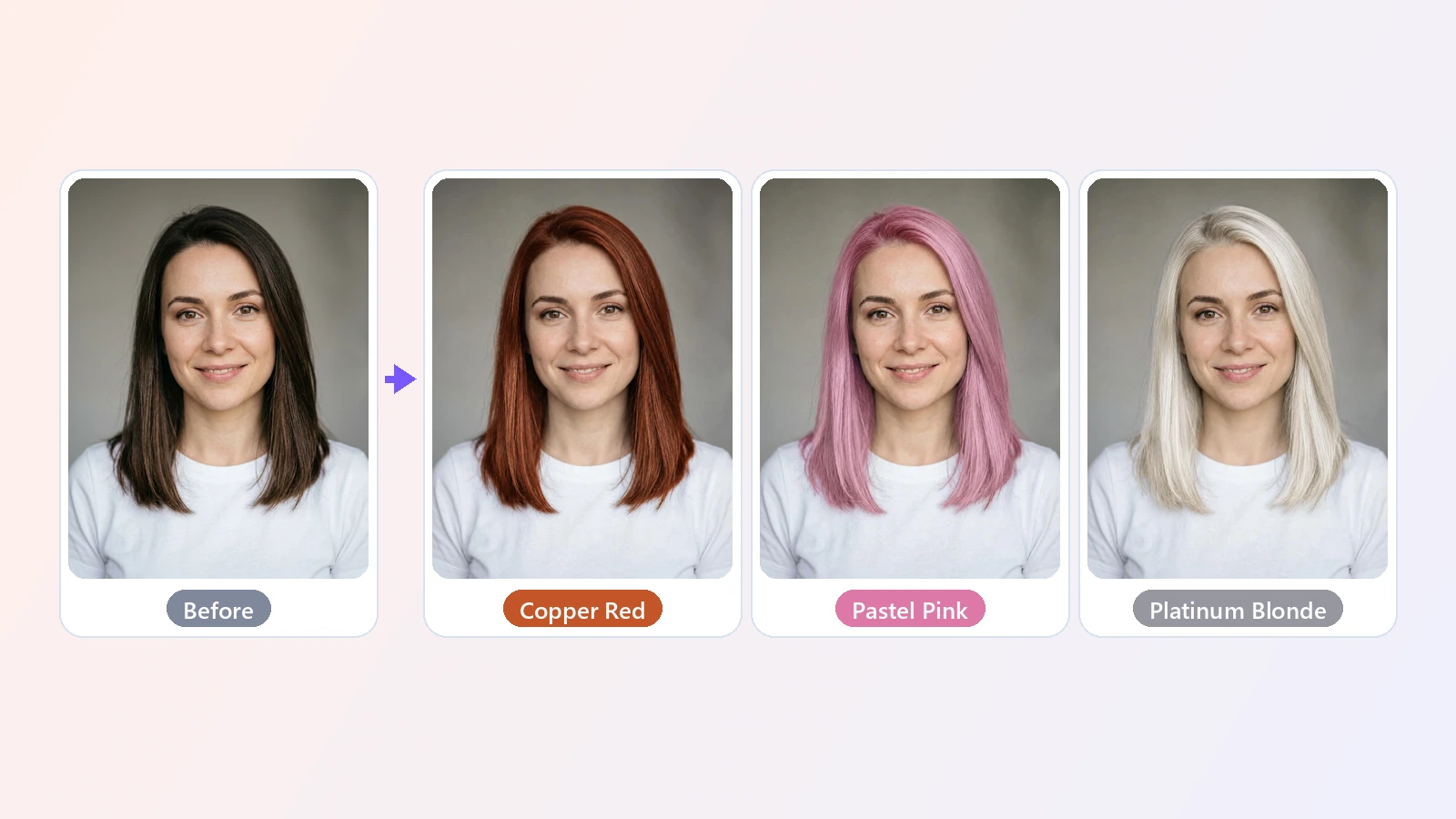
Changing your hair color is a commitment: bleach, hours in the chair, and weeks of living with the result if it does not suit you. An AI hair color changer lets you see the answer first. You upload a photo of yourself and choose a shade, and the AI recolors your hair from roots to tips with the highlights and shadows real dyed hair would have. Your haircut, its length and its texture stay the same, and so do your face, your eyebrows, your skin tone, your clothes and the background, so the only thing that is different is the color. That makes it easy to compare shades honestly: the same photo as a golden blonde, a chocolate brunette, a copper redhead or with silver gray hair. The sixteen colors cover the natural range - blondes, browns, black, auburn and red - and the fashion shades people are most curious about, such as rose gold, pastel pink, lavender, electric blue and emerald green, plus a honey balayage that keeps darker roots. People use it to decide before a salon visit, to show a colorist exactly what they want, to check whether a bold color suits their skin tone, and simply to play with a new look for a profile picture. It works in the browser on a phone or a computer, with nothing to install.
At a glance
Only the color changes
A fair preview of the shade.
Same haircut
Your hairstyle, length and texture are kept. The AI changes the color, not the cut.
Same you
Face, eyebrows, skin tone, clothes and background stay as they are in the photo.
16 shades to try
Natural and bold.
Natural colors
Golden, platinum and ash blonde, light and chocolate brown, jet black, auburn, copper red and burgundy.
Fashion colors
Silver gray, rose gold, pastel pink, lavender, electric blue, emerald green and a honey balayage.
Realistic and quick
Looks like dyed hair, not a paint bucket.
Natural highlights
The new color follows the light in your photo, with highlights and shadows in the right places.
Ready in seconds
A photo takes about 15 seconds, so you can compare several shades in a couple of minutes.
How to change hair color in a photo
Three steps, no salon appointment.
Upload your photo
JPG, PNG or WebP. A clear photo where your hair is fully visible works best.
Pick a hair color
Choose from 16 shades. Each card shows what the color looks like on real hair.
See it and download
Your photo with the new hair color is ready in about 15 seconds. Try another shade or save it.
What people use it for
Before the salon
See a color on yourself before you commit to bleach or dye.
Showing your colorist
Bring a picture of the exact shade you want on your own hair.
Finding your shade
Compare blondes, browns and reds against your skin tone.
Bold colors
Try pink, blue or green without the risk.
Profile pictures
Post a new look for fun and see what your friends think.
Going gray
See how silver gray hair would look on you.
Frequently asked questions
How do I change my hair color in a photo?
Is this hair color changer free?
Does it change my haircut too?
Which hair colors can I try?
Does it work on dark hair?
Does it work for men?
Will my eyebrows change color?
How realistic is the result?
What photo works best?
Can I try several colors on the same photo?
Good to know
It is a preview, not a promise — Real dye depends on your starting color and hair condition. Use the result to choose a direction and talk to your colorist.
The photo is redrawn — The AI redraws the picture, so tiny details such as stray hairs, jewelry or fabric texture can change slightly.
Hair must be visible — Hats, hoods or hair tied out of sight give the AI little to work with. A photo with your hair down works best.
One person per photo — In a group photo the color may be applied to more than one person.
Fixed list of shades — You choose from 16 colors. To change the cut as well, use the AI Hairstyle Changer.
Related tools & models
Find your next hair color
Upload a photo and try 16 shades in seconds.