- "size": "1024x1024",
- "style": "Style: 3D animated family-movie character - exaggerated cartoon proportions with a slightly larger head, big round expressive eyes, simplified smooth skin, hair sculpted in stylized chunks, soft studio lighting.",
- "quality": "low",
- "background": "Use a simple, uncluttered background that suits the style.",
- "images": [],
- "output_format": "jpeg"
AI Avatar Generator
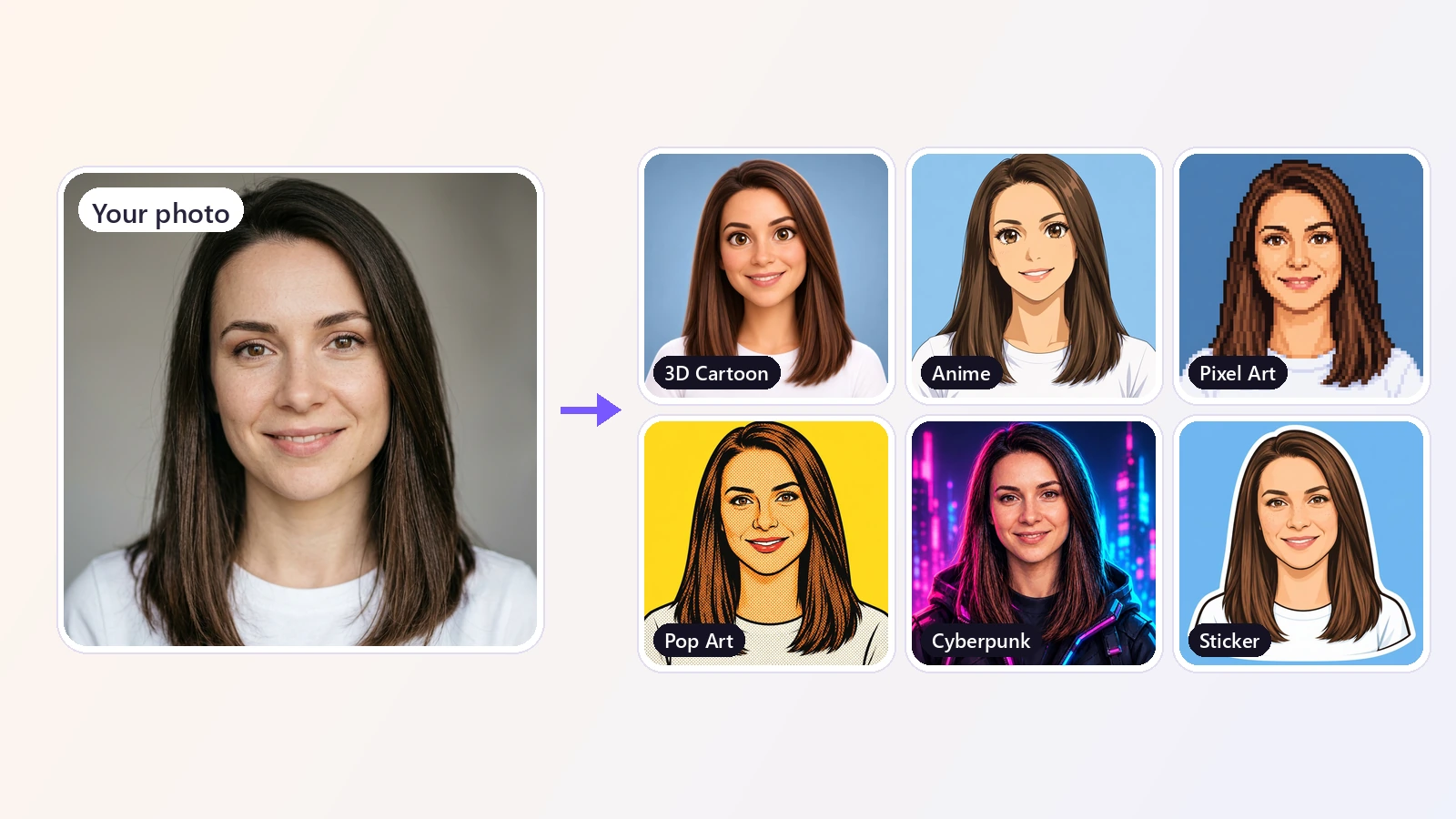
Turn a photo into an avatar in seconds. Upload a selfie, pick one of 12 styles - 3D cartoon, anime, pixel art, comic, watercolor and more - and get a profile picture that still looks like you.
An avatar is the small picture that stands for you online - on social networks, in chats, on gaming profiles and at work. This AI avatar generator makes one from a photo you already have. Upload a selfie, choose a style, and the AI redraws you as a 3D cartoon character, an anime hero, a pixel art sprite, a comic book panel, a watercolor painting and more. The result is a new drawing rather than a filter laid over your photo, but it keeps what makes you recognizable: your hairstyle and hair color, your skin tone, your glasses or beard, and your expression. Each avatar is framed as a head-and-shoulders portrait with a clean background, in a square shape that fits profile pictures everywhere, or as a taller portrait if you prefer. Unlike apps that ask for ten or twenty photos and a long training step, this picture to avatar generator works from a single image and returns the result in under a minute, so you can try several styles and keep the ones you like. It runs in the browser on a phone or a computer, with nothing to install.
At a glance
12 styles from one photo
See each style before you choose.
Cartoon, anime, pixel art and more
3D Cartoon, Anime, Comic Book, Pixel Art, Flat Illustration, Watercolor, Pop Art, Cyberpunk, Fantasy, Clay, Sticker and Pencil Sketch.
Still looks like you
Your hairstyle, hair color, skin tone, glasses, facial hair and expression carry over, so friends recognize you at a glance.
Made for profile pictures
Ready to upload anywhere.
Square or portrait
Square avatars fit Instagram, Discord, LinkedIn, X, WhatsApp and Slack. A portrait shape is there for posters, cards and character art.
Choose the background
Let the style decide, or ask for a plain white or a single bright color so the avatar matches your page.
Fast and simple
No training, no photo sets.
One photo, under a minute
No need to upload a batch of selfies and wait. One clear photo gives you an avatar in less than a minute.
Works in the browser
Use it on iPhone, Android or a computer without installing an app.
How to make an AI avatar from a photo
From selfie to profile picture in three steps.
Upload your photo
A selfie or any clear photo of your face - JPG, PNG or WebP. You only need one picture.
Pick a style
Choose from 12 avatar styles with a preview of each. Set the background and choose a square or portrait shape.
Download your avatar
In under a minute you get a ready-to-use avatar. Try another style on the same photo until you find your favorite.
What people use it for
Social media profile pictures
A distinctive avatar for Instagram, TikTok, X, Facebook or Threads instead of the same old selfie.
Gaming and Discord
Pixel art, anime or cyberpunk avatars for Discord, Twitch, Steam and other gaming profiles.
Chat and messaging apps
A friendly cartoon or sticker avatar for WhatsApp, Telegram, Slack or Teams.
Work profiles with personality
A flat illustration or pencil sketch for a team page, an email signature or a speaker bio when a photo feels too formal.
Characters and creative projects
Turn yourself into a fantasy hero, a comic character or a clay figure for a story, a game or a channel.
Matching avatars for a group
Give everyone on a team, in a family or in a friend group an avatar in the same style.
Frequently asked questions
How do I create an AI avatar from a photo?
Is this AI avatar generator free?
How many photos do I need?
Will the avatar look like me?
Which avatar style should I choose?
Can I use it as a profile picture on Instagram, Discord or LinkedIn?
Can I change the background of the avatar?
What is the difference between an AI avatar and an AI headshot?
Can I make an avatar of a pet or a character?
Can I make an avatar from someone else's photo?
Good to know
It is a drawing of you, not a copy — The avatar is redrawn in the chosen style, so the face is stylized. It keeps your recognizable features, but it is not meant to be a photo-accurate likeness.
One face works best — Use a clear photo with one person looking toward the camera. Group photos, heavy shadows or a face partly hidden give weaker results.
Every run is a little different — Generating the same style twice gives two slightly different avatars. If one is not quite right, run it again.
For a realistic photo, use the headshot tool — Avatars here are illustrated styles. For a realistic professional photo, the AI Headshot Generator is the better fit.
Related tools & models
Ready for a new profile picture?
Upload a photo and get your avatar in under a minute. Free to try, nothing to install.