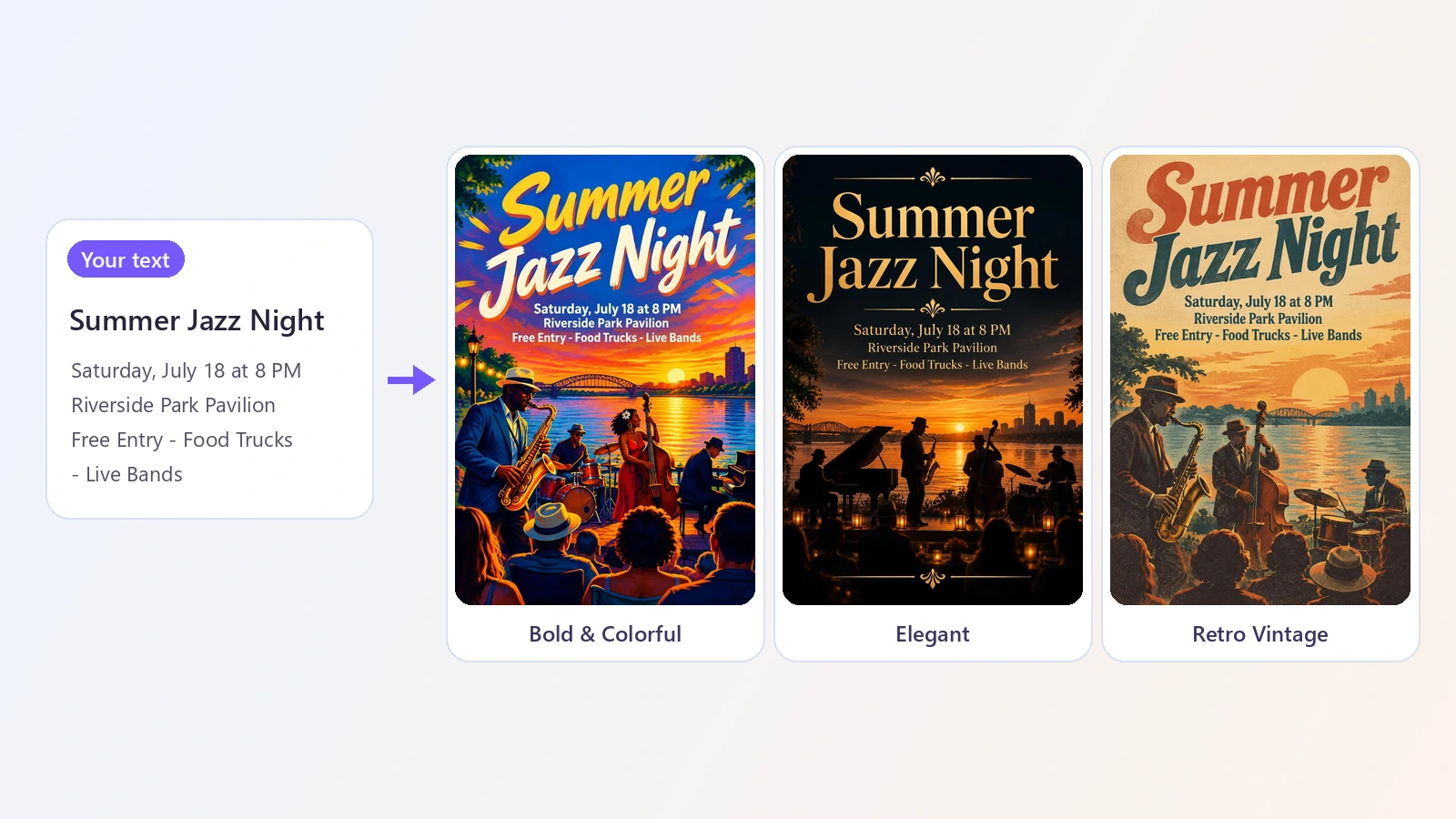
- "size": "1024x1536",
- "type": "flyer",
- "about": ,
- "style": "Style: bold and colorful, vivid saturated palette, big expressive lettering, energetic illustrated artwork.",
- "details": ,
- "quality": "low",
- "headline": ,
- "output_format": "jpeg",
- "image_output_num": 1
AI Flyer Generator
Make a flyer, a poster or an invitation from a few lines of text. Type your headline and the details, pick a style, and the AI designs the whole thing - artwork, layout and lettering - in about 15 seconds.
A flyer has one job: get a few facts in front of people in a way that makes them look. Doing it yourself usually means picking a template that almost fits, swapping in your text, and fighting with fonts and spacing. This AI flyer generator works the other way round. You type what the flyer has to say - a headline such as Summer Jazz Night or Grand Opening Sale, and the details that go under it, like the date, the address and the offer - and the AI designs a finished piece around those words. It draws the artwork, chooses the lettering, and lays everything out with a clear hierarchy, so the headline is big, the details are readable and the picture supports the message. Eight styles set the mood: bold and colorful for parties and festivals, modern minimal or corporate for business, elegant for weddings and galas, retro, neon, playful and photo for everything in between. The same tool works as an AI poster generator and an invitation maker: switch the type and the shape, and the design changes with it. People use it for events, sales and openings, club nights, school and church notices, yard sales, classes, birthday invitations and social media posts. Each design is made from scratch, so two runs never look the same, and you can generate several at once and keep the best.
At a glance
Your words, designed
Text is part of the design, not pasted on top.
Headline and details
The AI writes your headline large and your details underneath, in lettering that matches the style.
Artwork to match
Describe the picture you want, or leave it to the AI to illustrate your headline.
Flyer, poster or invitation
One tool, three kinds of design.
Eight styles
Bold & Colorful, Modern Minimal, Elegant, Retro Vintage, Neon Night, Corporate, Playful, Photo. Each card shows a sample.
Three shapes
Portrait for print and stories, square for social posts, landscape for screens and banners.
Fast and affordable
Try ideas instead of settling.
Seconds, not hours
A design takes about 15 seconds. Generate up to four at once and compare.
1 credit per design
Cheap enough to try several styles for the same event.
How to make a flyer with AI
No template hunting and no design software.
Type your text
Enter the headline, then the details - date, place, offer - one per line. You can also say what the picture should show.
Pick a type and a style
Choose Flyer, Poster or Invitation and one of eight styles, from Bold & Colorful to Elegant, Retro and Neon.
Generate and download
Get up to four designs at once in about 15 seconds each. Download the one you like as a JPG.
What people use it for
Events and concerts
Gigs, festivals, club nights and community events.
Sales and openings
Grand openings, seasonal sales and special offers.
Parties and invitations
Birthdays, weddings, baby showers and holiday parties.
Small business
Services, classes, menus of the week and hiring notices.
Schools and clubs
Fundraisers, sports days, meetings and notices.
Social media
Square and vertical announcement posts for your feed and stories.
Frequently asked questions
How do I make a flyer with AI?
Is this AI flyer generator free?
Can it make posters too?
Will the text be spelled correctly?
Can I edit the flyer afterwards?
Can I add my own logo or photo?
What sizes can I make?
Is it good enough to print?
Which styles are available?
Can I use the designs commercially?
Good to know
Check the spelling — Short headlines and a few lines of details come out right, but the AI draws the letters, so always read the text before you print or post. If a word is wrong, generate again.
Keep the text short — The more text you add, the more likely a mistake. Put the essentials on the flyer and the rest on your website.
It is a flat image — You get a finished JPG, not an editable file with layers. To change the wording, edit your text and generate again.
No logo or photo upload — The design is generated from your text. You cannot place your own logo or photo in it here.
Size for print — The image is about 1024 x 1536 pixels - sharp on screens and for small prints. For a large poster, enlarge it with the Image Upscaler first.
Related tools & models
Get the word out
Type your headline and get a finished flyer in seconds.