- "prompt": ,
- "face_limit": 200000
AI 3D Model Generator
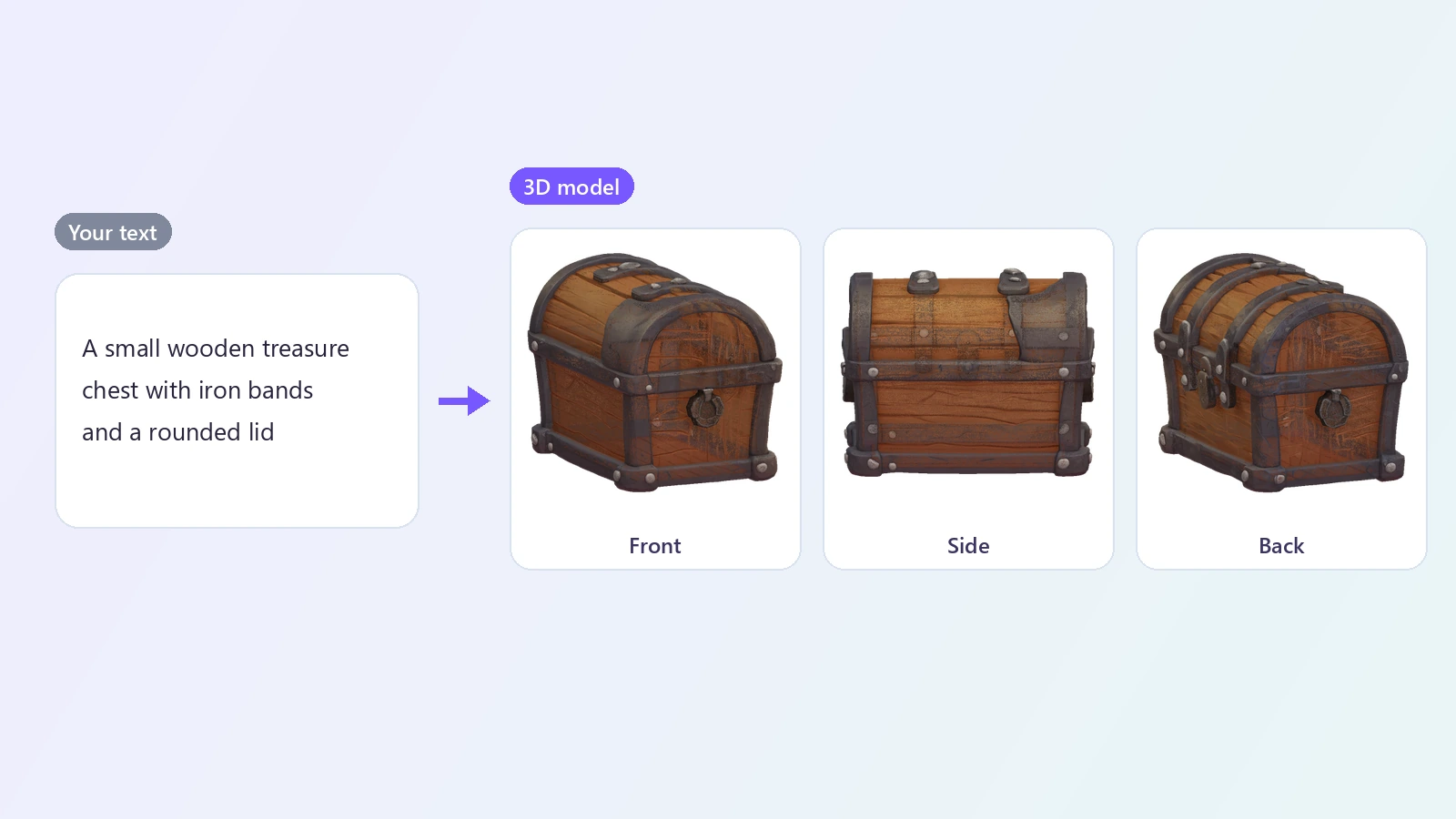
Generate a 3D model from text. Describe an object - a wooden treasure chest, a low-poly fox, a sci-fi helmet - and the AI builds a textured 3D model you can rotate in the browser and download as a GLB file.
An AI 3D model generator turns a sentence into a three-dimensional object. Instead of starting from a cube in a modeling program, you describe what you need - a small wooden treasure chest with iron bands, a cartoon mushroom house, a medieval sword, a robot toy - and the AI builds a 3D mesh that matches. The model appears in an interactive viewer in the browser, where you can rotate it and zoom in, and it downloads as a GLB file that opens in Blender, Unity, Unreal Engine, Godot and most other 3D tools. Text to 3D is useful when you do not have a reference picture: for filling a game scene with props, exploring several versions of an idea, getting a base mesh to sculpt on, or making something simple to 3D print. Clear descriptions give better models: name the object, its main parts and its style, and keep it to one object at a time. The result is a starting point rather than a finished production asset, but it replaces the slowest part of 3D work - getting from nothing to a first shape - with a few minutes of waiting. If you already have a picture of what you want, the Image to 3D tool follows it more closely.
At a glance
From words to a mesh
No reference image needed.
Describe anything
Props, furniture, vehicles, creatures, toys and stylized characters.
Your style
Add words such as low-poly, cartoon, realistic or sci-fi to steer the look.
See it before you download
A real 3D preview.
Interactive viewer
Rotate the model with your mouse or finger and open the large view to zoom in.
Standard file
Download a GLB file that opens in Blender, Unity, Unreal Engine and other 3D software.
Fast start for 3D work
Skip the blank scene.
A few minutes
Try an idea, look at it from every side, and try another.
No modeling skills
If you can describe it, you can get a first model of it.
How to generate a 3D model from text
Describe it, generate it, download it.
Describe the object
Say what it is and what it looks like: shape, parts, material and style. One object per description works best.
Generate
The AI turns your description into a 3D mesh. It takes about 3 minutes.
Rotate it and download
Spin and zoom the model in the viewer, then download the GLB file for your 3D software.
What people use it for
Game assets
Block out props and objects for a prototype or a game jam.
3D printing
Start a printable model from a picture or an idea, then clean it up in your slicer or modeling tool.
Product mockups
Get a quick 3D stand-in for a product to try angles and layouts.
AR and VR
Drop simple objects into an AR scene or a virtual room.
Concept work
See a sketch or an idea from every side before modeling it properly.
Learning 3D
Get a base mesh to practice sculpting, retopology and texturing.
Frequently asked questions
How do I generate a 3D model with AI?
Is this AI 3D model generator free?
What should I write in the description?
Does the model have colors and textures?
What is a GLB file and how do I open it?
Can I 3D print the model?
Can it make characters?
Is the model rigged or animated?
Can I use the models in my game or product?
Can I start from a picture instead?
Good to know
One object at a time — Describe a single object. Whole scenes or several separate things in one prompt come out merged or incomplete.
A starting point — Expect to clean up the mesh for production use: topology, thin parts and fine details are approximate.
Each run is different — The same description gives a different model each time. Generate again if the first one is not what you imagined.
Exact sizes are not followed — The AI does not build to measurements. Scale and adjust the model in your 3D software.
Related tools & models
Describe it. Spin it. Download it.
Type what you need and get a textured 3D model in a few minutes.