- "aspect_ratio": "2:3",
- "prompt": "Turn this photo into a professional headshot of the exact same person. Keep the face, bone structure, skin texture, hairline and apparent age unchanged - do not beautify, slim or reshape the face. Shoulders-up framing, natural skin tone, sharp focus on the eyes, realistic photography, no text or logos. Wearing a dark navy blazer over a crisp white shirt, neat tidy hair, soft studio three-point lighting, clean light grey-blue studio backdrop with a gentle gradient.",
- "resolution": "1k",
- "images": [],
- "output_format": "png"
Natural, true-to-life headshots that keep your real skin texture. Great for most photos. Switch to Pro for a polished studio finish.
AI Headshot Generator
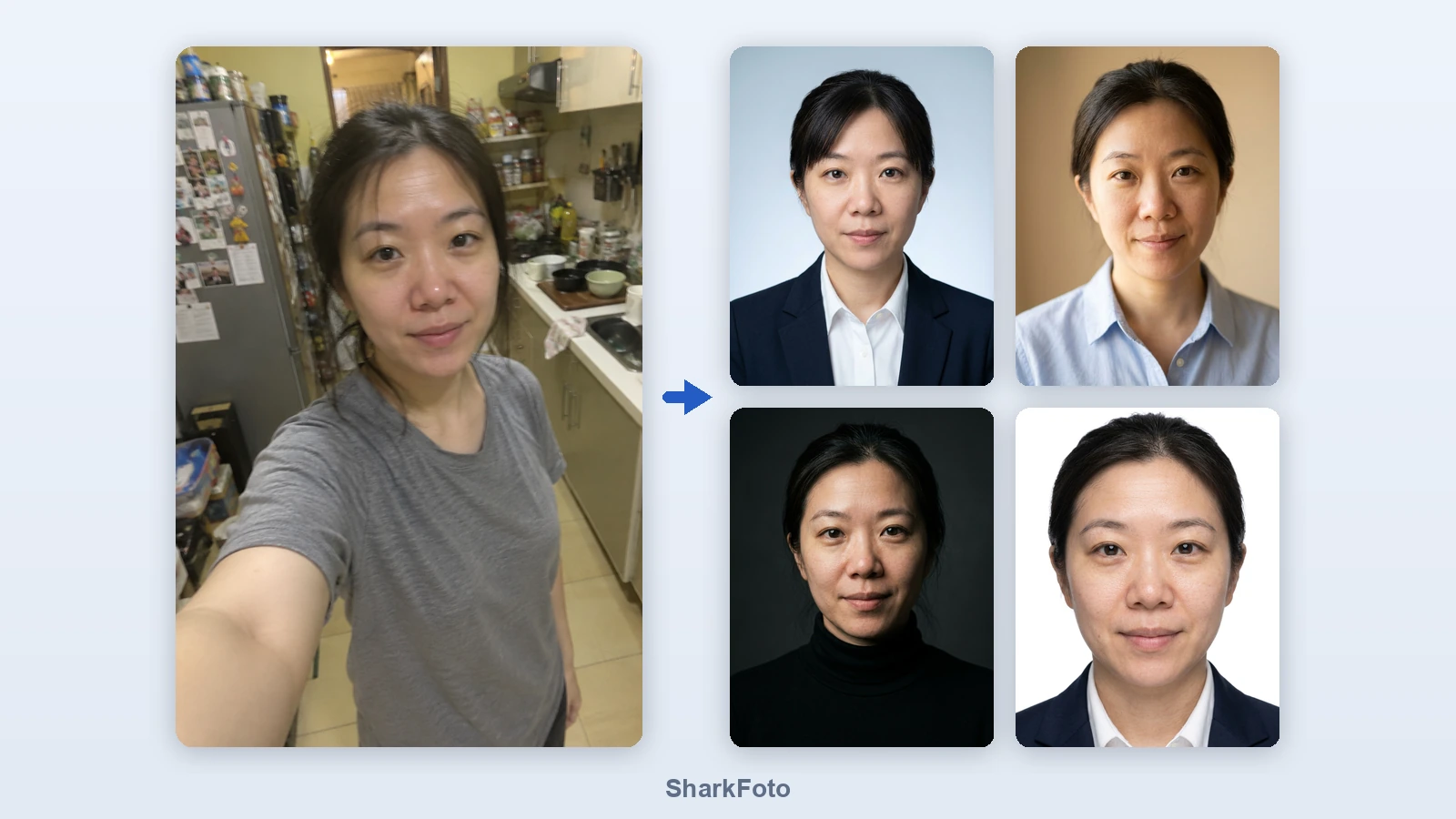
Turn one ordinary selfie into a professional headshot. Pick a style and the AI keeps your face exactly as it is while replacing the clothes, lighting and background - no studio, no photographer, no sitting fee.
An AI headshot generator turns an everyday photo into a portrait that looks like it was taken in a studio. Instead of booking a photographer, you upload one selfie: the AI keeps your face, bone structure and skin texture, then rebuilds the framing, wardrobe, lighting and background around it. That gives you a consistent, professional image for your LinkedIn profile, a job application, a speaker bio or a team page, and a fresh one whenever you change role, clothes or hairstyle. The result is a photo of you rather than a generic avatar: every style is written to avoid the over-smoothed, plastic look that gives AI headshots away.
At a glance
It still looks like you
Identity first, retouching second.
Your face is kept, not redrawn
Every style tells the model to preserve your bone structure, skin texture, hairline and apparent age instead of slimming or reshaping your features.
Natural skin, not plastic
Texture and natural tone are kept, so the portrait reads as a real photo rather than an obvious AI render.
Studio looks without a studio
Five professional setups, one click each.
Five headshot styles
Corporate studio, business casual, creative dark, plain white background and a blurred modern office - from a corporate directory to a personal brand shot.
Wardrobe and lighting included
A navy blazer, a light button-down or a black turtleneck, with the matching studio or window lighting. You do not need to change clothes or move rooms.
Ready for where you will post it
Right crop, right proportions.
Profile-ready ratios
Square 1:1 for LinkedIn, X and Slack avatars, or 2:3, 3:4 and 4:5 portrait crops for a CV, a team page or a speaker card.
Two quality levels
Standard covers everyday profile use at the lowest cost per image; Pro uses a higher-end model when you want the crispest result for a website or print.
How to make an AI headshot
A professional headshot from a phone photo, in three steps.
Upload one photo
A normal selfie works. Face the camera, keep your face unobstructed and reasonably lit - no studio and no twenty-photo training set needed.
Pick a headshot style
Corporate studio, business casual, creative dark, plain white background or a modern office backdrop. Choose the aspect ratio your profile needs.
Download your headshot
Get a clean, professional portrait ready for LinkedIn, a CV, a company team page or an email signature.
What people use AI headshots for
LinkedIn profile photo
Replace a cropped holiday photo with a consistent, professional portrait that matches the rest of your profile.
CV and job applications
Add a tidy headshot to a CV or application without booking a photo session first.
Company team pages
Give a whole team matching portraits with the same lighting and background, even when everyone works remotely.
Speaker and author bios
Send conference organisers or publishers a clean portrait that sits well next to everyone else on the page.
Email signatures and slides
A small, sharp portrait that still reads well at avatar size in signatures, decks and intranet profiles.
Plain white background portraits
A neutral, evenly lit portrait on pure white for profiles, badges and internal directories.
Frequently asked questions
Is this AI headshot generator free?
Will the headshot still look like me?
How many photos do I need to upload?
What makes a good input photo?
Can I use it for my LinkedIn profile?
Does it work for men and women?
Can I use an AI headshot for a passport or visa?
What happens to my photo?
Can I use the headshot commercially?
What is the difference between Standard and Pro?
Good to know before you upload
One clear face per photo — The tool works on a single person facing the camera. Group shots, heavy shadows across the face, sunglasses or a hand covering the chin will confuse the result.
Accessories can shift — Glasses, hats, jewellery and unusual hairstyles are sometimes redrawn slightly. Generate again, or switch style, if a detail matters to you.
Not for official documents — These portraits are made for profiles, CVs and company pages. Passports, visas and driving licences have strict rules about background, lighting and retouching, so use an official photo service for those.
Related tools & models
Ready for a professional headshot?
Upload one selfie, pick a style and get a headshot you can put on LinkedIn today. Free tier available, no photographer and no credit card required.