- "size": "auto",
- "quality": "low",
- "swap_to": "Swap the gender of the person in this photo: if the person is a man, show how he would look as a woman; if the person is a woman, show how she would look as a man. Change only the gendered features of the face and the hair - jawline, brow, lips, facial hair and hairstyle.",
- "images": [],
- "output_format": "jpeg"
AI Gender Swap
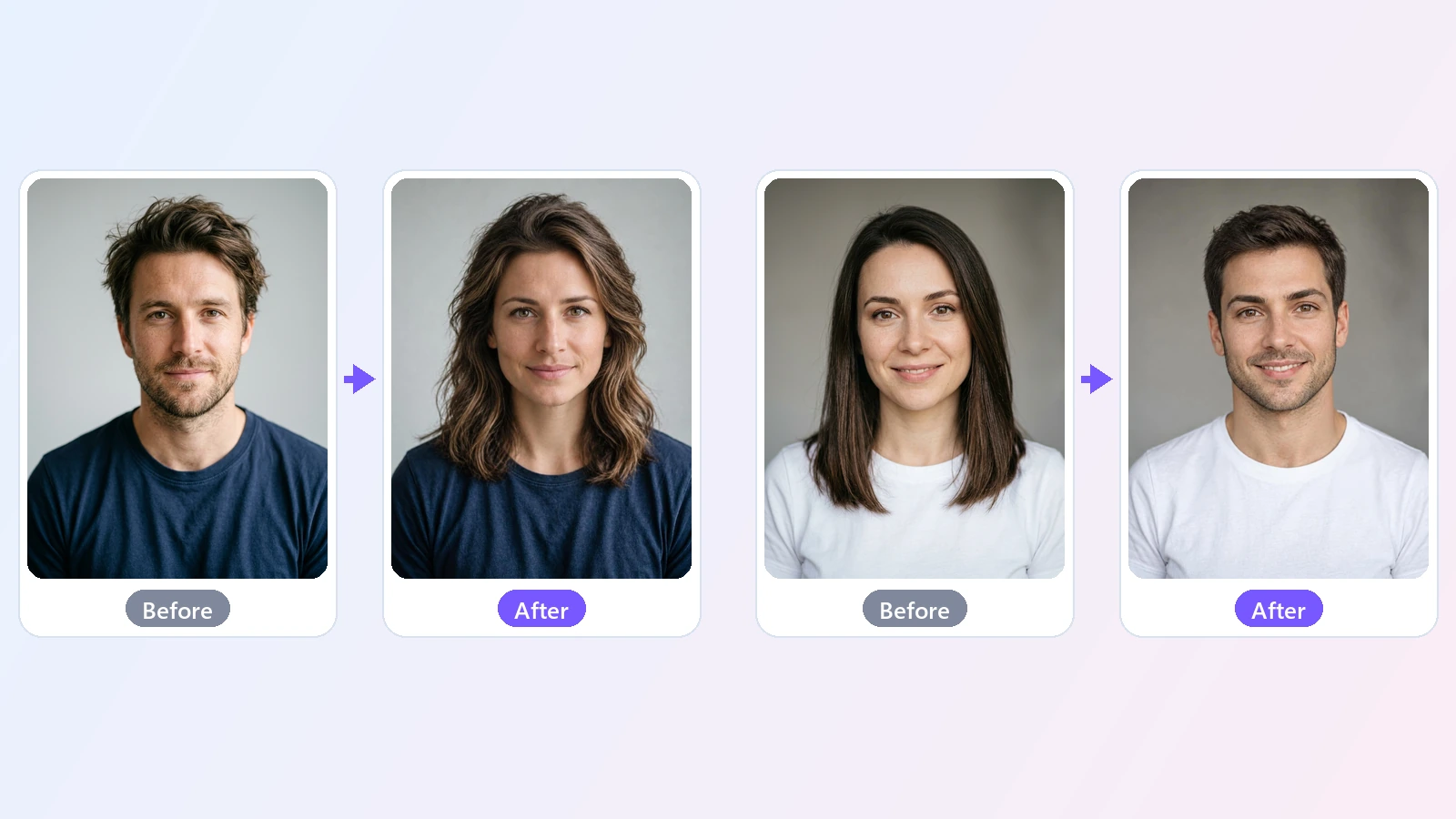
See what you would look like as the opposite gender. Upload a photo and this gender swap filter changes the face and the hair while keeping your features, your outfit and the background - in about 15 seconds.
A gender swap filter answers a simple, curious question: what would I look like as a man, or as a woman? This AI gender swap does it from a single photo. You upload a picture, and the AI redraws the face with the features that usually read as masculine or feminine - the line of the jaw, the brow, the lips, facial hair - and gives it a hairstyle to match. Everything that makes the photo yours is kept: the shape of your face, your eyes, your skin tone, your expression, your age, your clothes and the background. The result looks like a real photo of a sibling you never had rather than a different person with a sticker on top. You can let the AI decide which way to swap, or choose the direction yourself, which is useful for photos where the answer is not obvious or when you simply want to see both. People use it for fun with friends and family, for profile pictures and memes, to imagine a character for a story or a game, and out of plain curiosity. It works in the browser on a phone or a computer, with no app to install. Use your own photos, or photos of people who have said yes.
At a glance
Still looks like you
A swap, not a new face.
Your features are kept
Face shape, eyes, skin tone, expression and age carry over, so the result is clearly the same person.
The rest of the photo stays
Clothes, background, pose and framing are kept, so the only thing that changes is the swap.
Both directions
Man to woman or woman to man.
Auto
The AI looks at the photo and swaps to the opposite gender for you.
Or choose yourself
Pick To Woman or To Man when you want a specific result.
Quick and simple
No editing skills.
Ready in seconds
A photo usually takes about 15 seconds.
Works in the browser
Use it on a phone or a computer. Nothing to download.
How to gender swap a photo
One photo, one choice, one click.
Upload a photo
JPG, PNG or WebP. A clear photo of one face looking at the camera works best.
Choose the swap
Leave it on Auto to get the opposite gender, or pick To Woman or To Man yourself.
Generate and download
Your gender-swapped photo is ready in about 15 seconds. Download it as a JPG.
What people use it for
Just for fun
See your opposite-gender self and share it with friends.
Couples and families
Swap everyone in the group chat and compare.
Profile pictures
Post a swapped version of your photo for a day.
Characters
Imagine a male or female version of a character for a story or a game.
Memes
Make a before-and-after for a joke or a challenge.
Curiosity
Find out which relative you would look like.
Frequently asked questions
How do I gender swap a photo?
Is this gender swap filter free?
Does it work online without an app?
Can I swap male to female and female to male?
Will it still look like me?
Does it change my clothes or the background?
What kind of photo works best?
Can I gender swap a video?
Can I use someone else's photo?
Why does the result change when I try again?
Good to know
The photo is redrawn — The AI redraws the whole picture, so small details such as jewelry, fabric texture or text in the background can change slightly.
One face works best — It is made for a photo of one person. In a group photo the result is unpredictable.
Clear faces give better swaps — Sunglasses, masks, strong shadows or a face turned far to the side make the swap less accurate.
Each run is different — Generating again gives another version. If you do not like the first one, try once more.
Use it kindly — Use your own photos or photos you have permission to use, and do not use the results to mock or mislead anyone.
Related tools & models
Meet your other self
Upload a photo and see your gender swap in seconds.