- "person_image_url": "",
- "clothing_image_url": ""
AI Clothes Changer
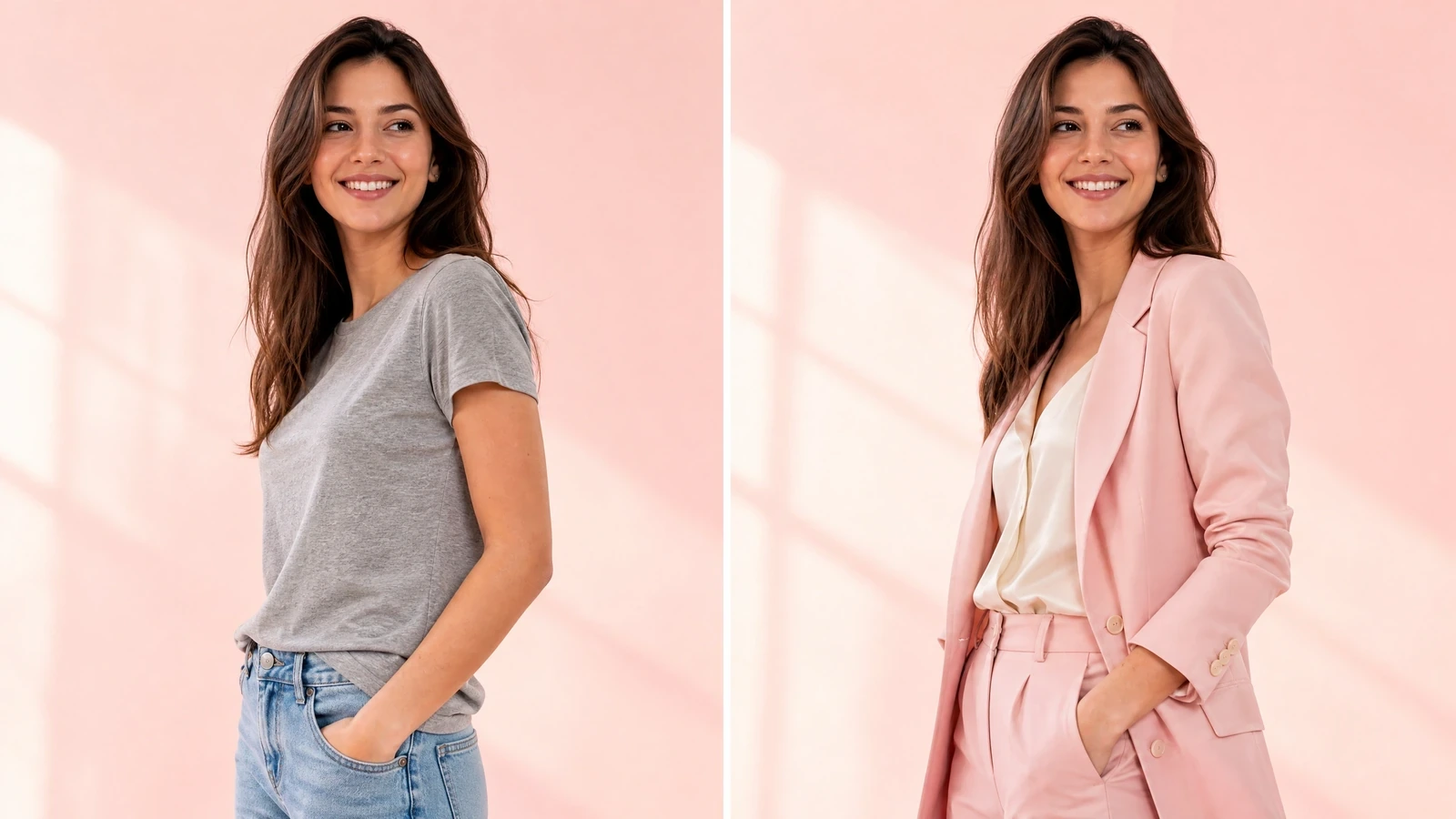
Swap outfits on any person photo with AI virtual try-on that preserves pose, body shape, and lighting for photorealistic results in seconds.
What is an AI clothes changer?
An AI clothes changer is a virtual try-on tool that replaces the clothing in a person photo with a different outfit while keeping the subject's pose, body proportions, and the photo's original lighting intact. You upload a clear photo of a person and a clothing item, and the AI renders a photorealistic composite showing that garment worn naturally, complete with accurate draping, fabric texture, and shadows. SharkFoto's editor supports tops, bottoms, dresses, suits, outerwear, and accessories, typically returning a result in 10-30 seconds. Output images carry no watermark and are cleared for commercial use in e-commerce, catalogs, and marketing.
At a glance
Realistic virtual try-on
The AI reads body shape, pose, and lighting so swapped garments look genuinely worn, not pasted on.
Realistic body fitting
Analyzes body shape and proportions for natural clothing appearance with accurate draping and shadows.
Pose preservation
Keeps the subject's original body positioning and stance so only the outfit changes.
Lighting adaptation
Matches the new garment to the original photo's lighting conditions for a seamless composite.
Fabric texture rendering
Reproduces the look of cotton, silk, denim, leather, and knits rather than flat color fills.
Flexible and fast
Explore looks quickly across any clothing category without a physical fitting.
Instant outfit changes
Try on multiple outfits in seconds without physical changing, ideal for rapid style exploration.
Style versatility
Handles casual, formal, sportswear, traditional attire, and accessories.
Color and pattern accuracy
Preserves the garment's colors and patterns so the try-on reflects the real item.
Re-edit and refine
Re-run on your uploaded photo to fine-tune a look, then move on to the next photo one at a time for catalog and storefront workflows.
How the AI clothes changer works
Swap an outfit in three steps, from uploading a photo to downloading a photorealistic result.
Upload a person photo
Add a clear photo of yourself or a model. Full-body or upper-body shots with the subject facing the camera work best.
Select the clothing
Upload or choose the garment you want to try on - a top, dress, suit, outerwear, or accessory.
Get your result
The AI generates a photorealistic image wearing the new outfit. Download it, share it, or try another look.
What you can use it for
Online fashion retail
Show shoppers how products look on real body types to lift conversion and cut returns.
Personal styling
Preview outfits on yourself before buying to decide what actually suits you.
Fashion design
Visualize a garment on a figure early in the design process without sewing a sample.
Catalog photography
Generate on-model product shots without booking a full studio shoot for every SKU.
Content creation
Produce styled looks for social posts, lookbooks, and campaign visuals in minutes.
Virtual fitting rooms
Power a try-before-you-buy experience that lets customers preview items on their own photo.
Frequently asked questions
How accurate are the results?
What clothing types are supported?
What kind of photo works best?
Is the AI clothes changer free to use?
Can I use the images commercially?
What happens to my photos and data?
How long does it take?
Can I try more than one outfit?
Does the output have a watermark?
Will it keep the original pose and background?
Limitations to keep in mind
Photo quality drives results — Blurry, heavily edited, or dimly lit photos, or subjects turned away from the camera, produce weaker try-ons. Clear, well-lit, forward-facing shots work best.
Complex garments are harder — Intricate patterns, layered outfits, and unusual silhouettes may not transfer perfectly. Simple, clearly photographed garments give the most reliable output.
Fit is a visualization, not a measurement — The result previews how an outfit looks, but it does not guarantee real-world sizing or exact fit for a specific person's measurements.
Related tools & models
Ready to try on clothes virtually?
Swap outfits on any photo with AI-powered virtual try-on. No credit card required.