AI Muscle Generator
Turn an everyday photo into a jaw-dropping muscle transformation video in seconds. SharkFoto's AI muscle generator morphs the person in your picture into a shredded, bodybuilder-level physique and animates the flex, so a normal selfie becomes a viral gym-worthy clip. Sign up free to get 10 credits, pick a flex effect like The Bicep Flex, Big Guy Flex, or Muscle Max, and download your video — with no watermark — ready to post to Reels, TikTok, or your training group chat.
 PopularThe Bicep Flex
What is an AI muscle generator?
An AI muscle generator is a tool that takes a photo of a person and produces a short video where they appear dramatically more muscular — bigger biceps, defined abs, a bodybuilder's build — with a natural flexing motion. You upload a photo, pick a muscle effect, and the AI both reshapes the body and animates the flex into a few-second MP4 you can share.
All AI Muscle Effects
Five AI muscle effects — a classic bicep flex, a big-guy power pose, a full bodybuilder-champion transformation and more. Pick one to start generating.











Before & after
An everyday photo, ripped and flexing.
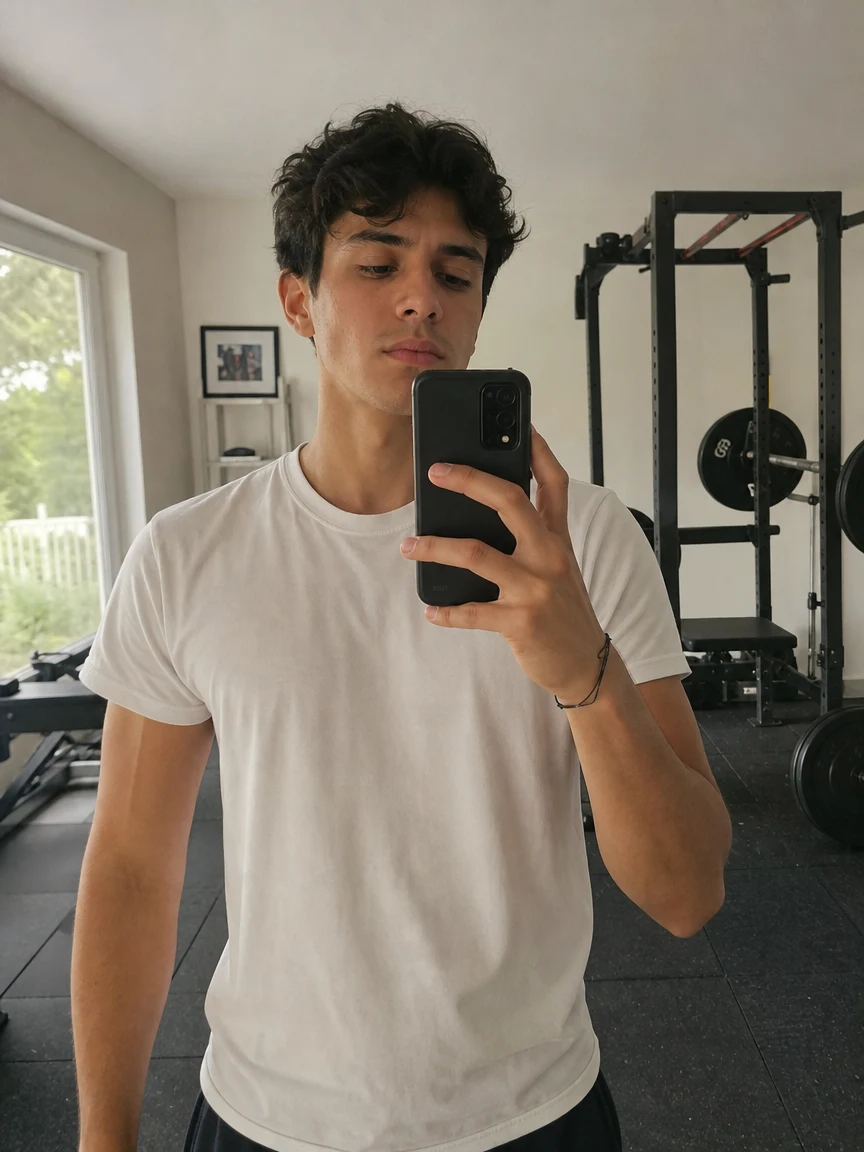 BeforeAfter
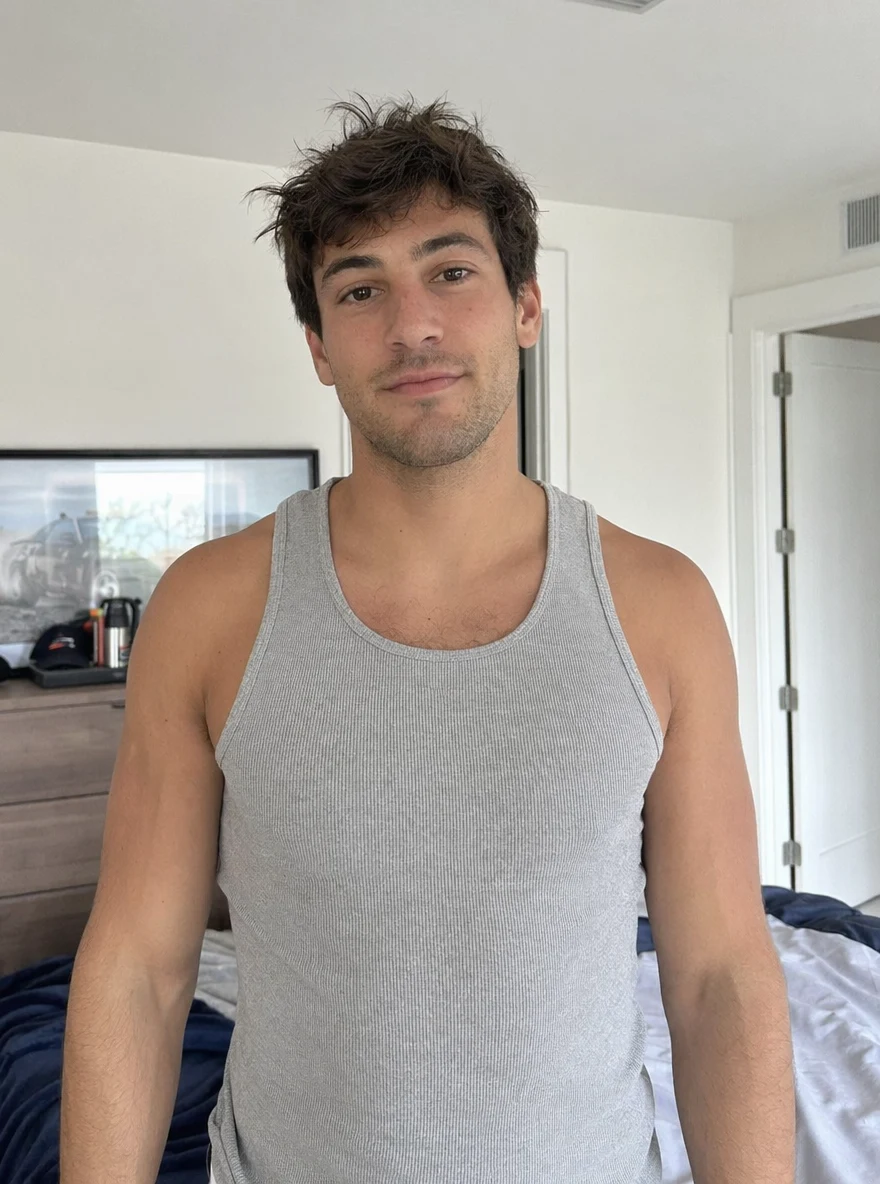 BeforeAfter
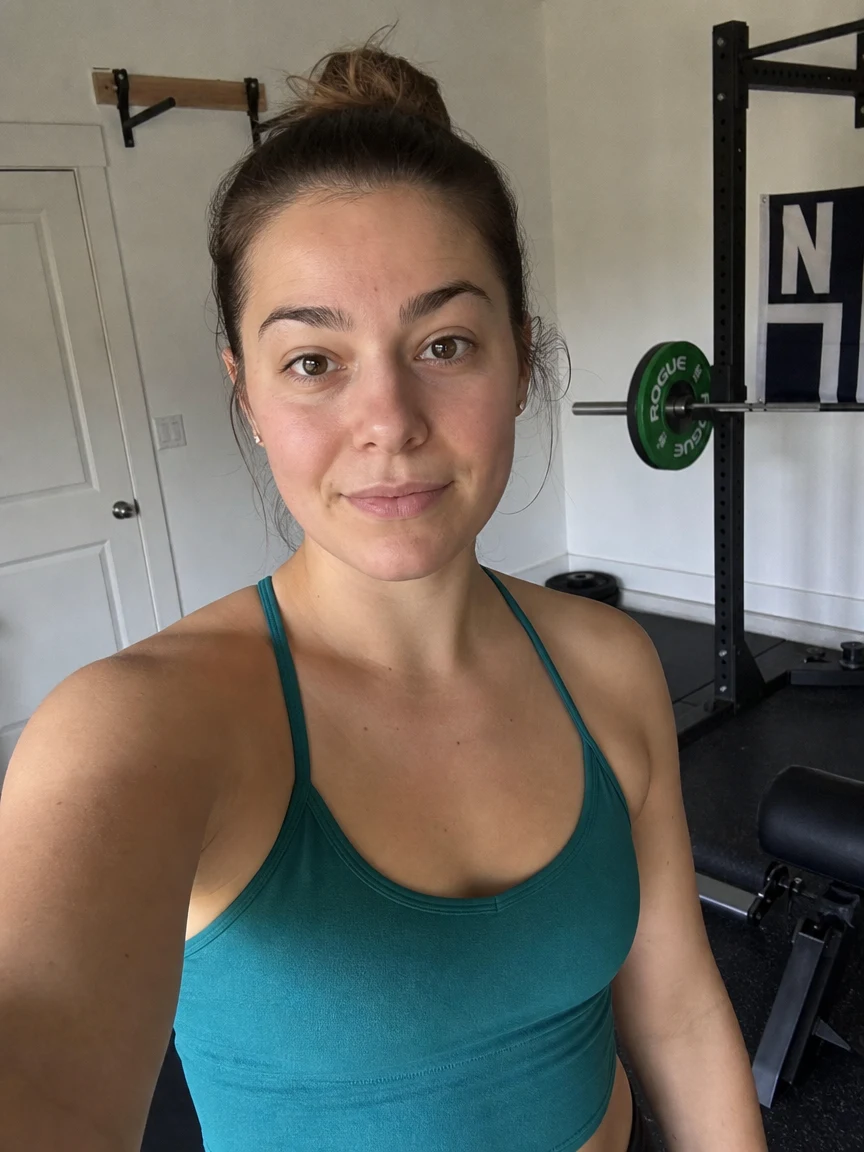 BeforeAfter
Buff him
How to make an AI muscle video
Three steps, right in your browser.
Upload your photo
Drag in or select a clear photo of the person you want to buff up. A well-lit, front-facing shot where the upper body is visible gives the AI the most to work with. Your photo is used only to make your video.
Pick a muscle effect
Sign in for your 10 free credits, then choose a look — The Bicep Flex for a classic gun show, Big Guy Flex for a power pose, or Muscle Max for a full bodybuilder-champion transformation. The AI reshapes the body and animates the flex so it moves naturally.
Download and share
Watch the preview, then download your muscle video as a full-resolution MP4 with no watermark. Post it to Reels or TikTok, drop it in the group chat, or save it for a before-and-after right away.
What you can make
Popular ways people use the muscle generator.
Gym & fitness content
Give your fitness feed a scroll-stopping transformation clip — flex on camera without months of bulking, straight from one selfie.
Prank your friends
Send a buddy a video of yourself suddenly shredded, or turn their photo into a comically massive bodybuilder for a laugh in the group chat.
Viral flex trend
Jump on the muscle-morph trend with a clean bicep flex or ab reveal built for Reels, TikTok, and Shorts.
Motivation & goal posts
Visualize the physique you're training toward and use it as a fun goal poster or a hype clip to kick off a fitness challenge.
Bold profile videos
Make a confident, larger-than-life clip for your profile, dating app, or channel intro that stands out from static photos.
Fun gifts & shout-outs
Turn a friend's photo into a champion bodybuilder for a birthday roast, a team hype video, or a gym buddy's milestone.
Why use SharkFoto's muscle video generator
Realistic muscle transformation
The AI reshapes the body with believable mass and definition — fuller arms, a broader chest, cut abs — while keeping your face and likeness recognizable, so it reads as a real transformation instead of a sticker.
Animated flex, not a still
Beyond just adding bulk, the effect animates a natural flexing motion — the bicep pump, the pose, the reveal — turning a flat photo into a dynamic few-second clip.
Works from a single photo
No gym footage or body scan needed. One clear, front-facing photo is enough to generate a muscular video with your face and outfit intact.
10 free credits, no watermark
Sign up free and get 10 credits to start generating muscle videos. Clips download at full resolution with no watermark, so they're clean enough to post or send anywhere.
Tips for the best results
Use a front-facing photo where the upper body is visible — the AI needs to see the arms, chest, and torso to reshape them convincingly.
Wear a fitted or sleeveless top — tight or minimal clothing lets the muscle definition show; baggy layers hide the effect.
Start from an evenly lit photo — good lighting helps the AI render depth and muscle shading naturally.
Keep the background simple — busy backgrounds can warp as the AI adds motion to the flex.
Use the highest-resolution photo you have — low-res or heavily compressed images limit how sharp the final clip can be.
Frequently asked questions
Is the AI muscle generator really free?
What kind of photo works best?
What format is the muscle video, and how long is it?
How long does it take to generate a muscle video?
Is my photo safe and private?
Is this a real prediction of how I'd look?
Can I use my AI muscle video commercially?
What if the result looks unnatural?
Related AI effects
More AI video effects to try.