World Cup Walkout Generator
Turn your photo into an epic World Cup walkout video in seconds. SharkFoto's World Cup walkout generator drops the person in your picture into a packed stadium — striding out of the tunnel, roaring on the pitch, or lifting the trophy under the floodlights — so a single selfie becomes a big-match moment. Sign up free to get 10 credits, pick a stadium effect like Tunnel to Captain, Cup Celebration, or Epic Goal Save, and download your clip — with no watermark — ready to post. It's a playful fan fantasy, not real match footage.
 PopularCup Celebration
What is a World Cup walkout video?
A World Cup walkout video is a short AI clip that places you in a stadium and animates a match-day moment — walking out of the players' tunnel, celebrating a goal, or hoisting the cup. You upload a photo, the model composites you into the scene with realistic motion, and you download a few-second MP4 to share. It's a fan fantasy, not genuine broadcast footage.
All World Cup Walkout Effects
Ten World Cup walkout effects — the tunnel walkout, the trophy lift, a diving goal save and more. Pick one to start generating.















Before & after
A plain selfie, sent out onto the pitch.
 BeforeAfter
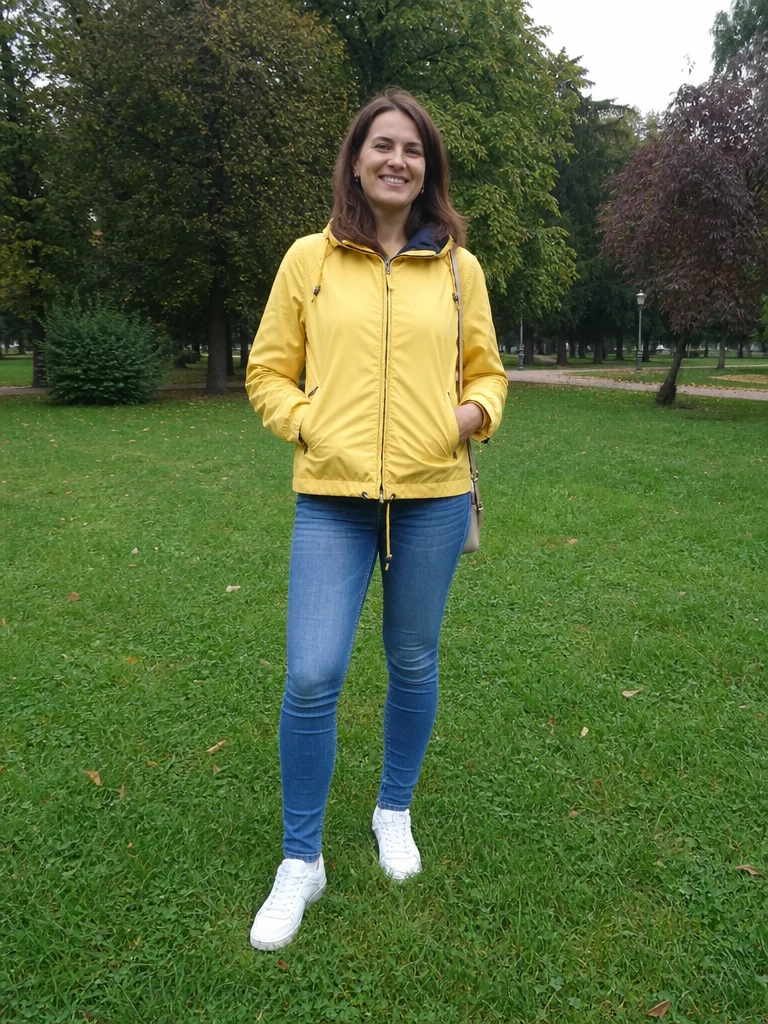 BeforeAfter
 BeforeAfter
Man Street Green
How to make a World Cup walkout video
Three steps, right in your browser.
Upload your photo
Drag in or select a clear photo of the person you want on the pitch. A well-lit, full-body or half-body shot where the face is visible gives the AI the most to work with. Your photo is used only to make your video.
Pick a stadium moment
Sign in for your 10 free credits, then choose an effect — Tunnel to Captain for the walkout, Cup Celebration or World Champion Lift for the trophy, or Epic Goal Save for a keeper's dive. The AI composites you into the scene with realistic, match-day motion.
Download and share
Watch the preview, then download your walkout clip as a full-resolution MP4 with no watermark. Post it to your feed, drop it in the group chat, or send it to a friend before kickoff.
What you can make
Popular ways fans use the World Cup walkout generator.
Live out the walkout
Stride out of the tunnel as captain and feel the roar of the crowd — the match-day moment every fan dreams about, from one photo.
Lift the trophy
Cap off the tournament by hoisting the cup under the floodlights, confetti raining down, as if you just won it all.
Hype the group chat
Send a mate a clip of them scoring or celebrating before a big match — instant banter that beats any meme.
Be the hero keeper
Pull off a diving, top-corner save in front of the fans and turn a selfie into a highlight-reel moment.
Fan-page & matchday posts
Give your supporters' page or story a scroll-stopping stadium clip during the tournament, ready to caption and share.
Gift for the football fan
Make a personalized walkout clip of a friend or family member who lives for the game — a fun surprise for a birthday or the big final.
Why use SharkFoto's World Cup walkout generator
Real stadium atmosphere
The AI drops you into a packed arena with floodlights, crowd energy, and match-day motion, so the clip feels like a broadcast moment rather than a flat filter.
The iconic tunnel walkout
Go beyond a static pose: Tunnel to Captain animates the players' walkout — striding out of the tunnel onto the pitch — the signature moment of every big match.
Works from one photo
No footage or green screen needed. One clear photo is enough for the AI to place you in the scene while keeping your face and look recognizable.
10 free credits, no watermark
Sign up free and get 10 credits to start. Clips download at full resolution as clean MP4s with no watermark, so what you make is ready to post anywhere.
Tips for the best results
Use a clear, well-lit photo where the face is visible — the AI needs to see your face to keep you recognizable as it composites you into the stadium.
Try a full-body or half-body shot — a fuller frame gives the AI more of your pose and build to work into the walkout motion.
Pick a photo with a confident, upright stance — a strong standing pose reads more naturally as a player striding onto the pitch.
Keep the background simple — a plain backdrop is easier for the AI to replace with the stadium scene without artifacts.
Start from the highest-resolution photo you have — low-res or heavily compressed images limit how sharp the final clip can be.
Frequently asked questions
Is the World Cup walkout generator really free?
What kind of photo works best?
Do I get an image or a video?
How long does it take to generate a walkout video?
Is my photo safe and private?
Is this real World Cup footage or an official product?
Can I use my walkout video commercially?
What if the clip doesn't look quite right?
Related AI effects
More AI video effects to try.