AI Fan Cam Generator
Turn a single photo into a viral fan cam video in seconds. SharkFoto's AI fan cam generator drops the person in your picture into a roaring stadium crowd or onto a concert stage, then sweeps a live-broadcast camera onto them like the jumbotron just found their face. Sign up free to get 10 credits, pick a fan cam effect like Stadium Fan Cam, Concert Spotlight, or Idol Ending, and download your clip — with no watermark — ready to post to the trend. Every result exports as a full-resolution MP4 that plays anywhere.
 PopularStadium Fan Cam
What is an AI fan cam video?
An AI fan cam video is a short clip generated from a single photo in which AI places the person into a live event — a packed stadium or a concert crowd — and animates a broadcast-style camera that finds and follows them, the way a real fan cam or jumbotron picks a face out of the stands. You upload a photo, pick a fan cam effect, and download a few-second MP4 you can share.
All AI Fan Cam Effects
Eight AI fan cam effects — a jumbotron crowd cam, a concert spotlight, an idol close-up, and more. Pick one to start generating.











Before & after
A plain selfie, caught by the stadium cam.
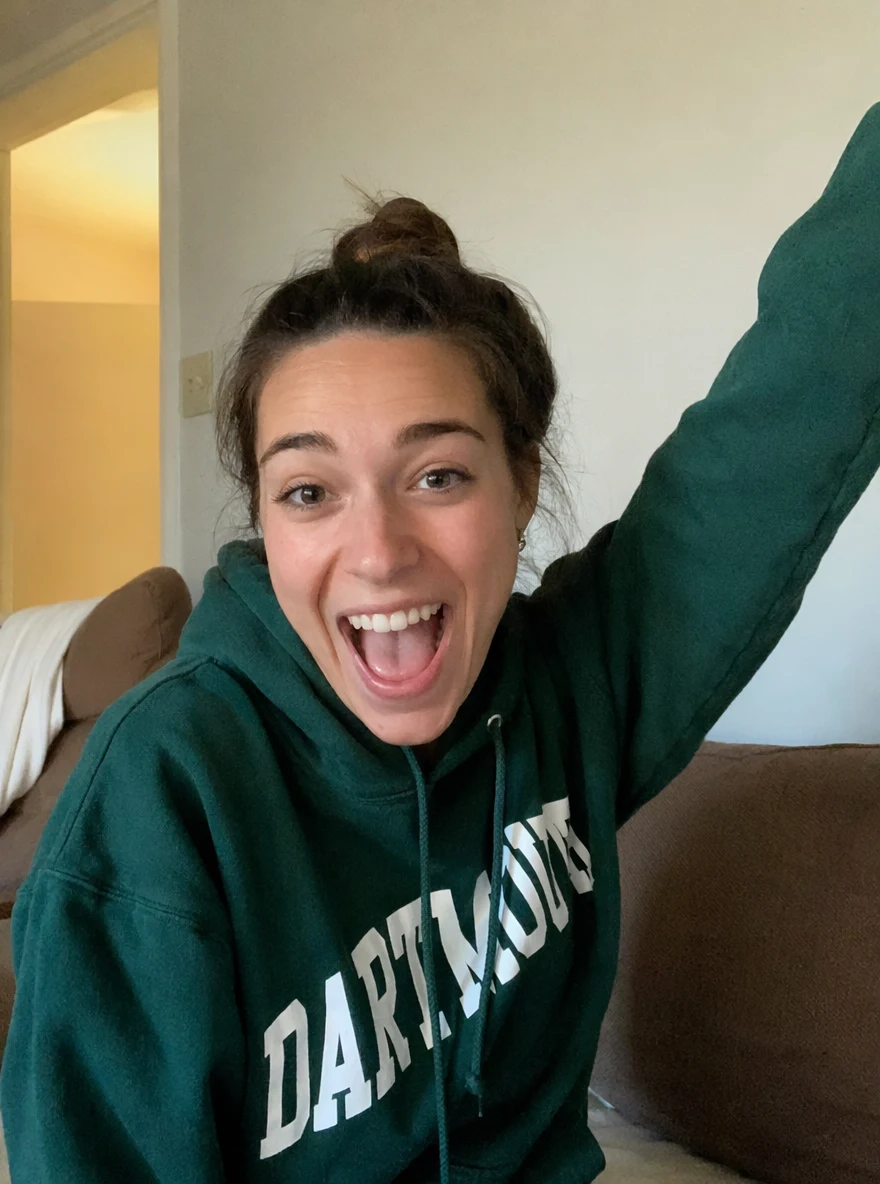 BeforeAfter
 BeforeAfter
 BeforeAfter
Woman Cheer Couch
How to make an AI fan cam video
Three steps, right in your browser.
Upload your photo
Drag in or select a clear photo of the person you want on the big screen. A well-lit shot where the face is visible gives the AI the most to work with. Your photo is used only to make your video.
Pick a fan cam effect
Sign in for your 10 free credits, then choose a look — Stadium Fan Cam for the jumbotron crowd shot, Concert Spotlight for a stage moment, or Idol Ending for a close-up follow cam. The AI drops you into the scene and animates the camera onto you.
Download and share
Watch the preview, then download your fan cam as a full-resolution MP4 with no watermark. Post it to the trend, drop it into a reel, or text it to the group chat right away.
What you can make
Popular ways people use the fan cam generator.
Sports fans in the stands
Put yourself in the roaring crowd and let the jumbotron cam find you — a fun way to hype your team or celebrate game day without a ticket.
Concert & festival moments
Land the front-row spotlight at a show you wish you were at, or turn a night out photo into a stage-lit concert clip.
Idol & K-pop edits
Give yourself the ending-fairy close-up follow cam idols get, perfect for a fancam-style edit to post to your fan account.
Couples & friends at the game
Get the two of you on the big screen together, like the cam caught you both cheering side by side in the stands.
Creators & streamers
Open a video with a superstar walk-on or a crowd going wild for you, a bold hook for reels, thumbnails, and channel intros.
Birthday & hype surprises
Make a friend the star of a sold-out crowd for their birthday or a big win, a novelty clip nobody else will have.
Styles to choose from
From a jumbotron crowd cam to a concert spotlight — pick the fan cam that fits.
Stadium fan cam
The big-screen crowd cam sweeps the stands and lands on you cheering in the sea of fans.
Concert spotlight
A spotlight and follow cam catch you in the crowd or on stage at a packed concert.
Idol close-up
A K-pop-style ending fairy close-up, the camera holding on you like the show's headliner.
Superstar live show
You take the main stage of a live show, lights and camera locked on the star.
Why use SharkFoto's fan cam generator
Broadcast-style camera move
The AI doesn't just paste you into a crowd — it animates a live-cam sweep and zoom that lands on you, so the clip reads like a real jumbotron or fan cam moment instead of a static filter.
Stadium and stage looks
Choose the vibe: a packed sports arena crowd cam, a concert spotlight, or an idol-style close-up. Each effect builds the whole scene — lights, crowd, and camera — around your photo.
Works from a single photo
No footage and no green screen needed. One clear photo of your face is enough for the AI to put you in the stands or on the stage and keep you recognizable.
10 free credits, no watermark
Sign up free and get 10 credits to start generating fan cams. Clips download at full resolution as an MP4 with no watermark, so what you make is clean enough to post anywhere.
Tips for the best results
Use a clear, front-facing photo where your face is visible — the fan cam has to land on your face, so a visible, well-lit expression makes the moment read as you.
Pick a photo with an energetic or happy expression — a cheer, a smile, or raised arms matches the excited crowd and sells the fan cam moment.
Keep the background simple — the AI replaces your surroundings with the stadium or stage, and a busy background can bleed into the new scene.
Use a half-body shot for crowd effects — seeing your shoulders and arms lets the AI blend you naturally into the stands rather than a floating head.
Start from the highest-resolution photo you have — low-res or heavily compressed images limit how sharp the final clip can be.
Frequently asked questions
What is an AI fan cam?
Is the AI fan cam generator really free?
What kind of photo works best?
Do I get an image or a video?
How long does it take to generate a fan cam video?
Is my photo safe and private?
Can I use my AI fan cam video commercially?
What if the clip doesn't look like me?
Related AI effects
More AI video effects to try.