Google Veo 4 vs Veo 3: What's New and How Big Is the Upgrade?
In the rapidly accelerating world of generative AI, few models have garnered as much attention as Google DeepMind's Veo series. With Veo 3 and 3.1 already establishing themselves as powerhouse tools for AI video generation, the impending arrival of Google Veo 4 has the creative community buzzing.For creators, marketers, and video professionals currently utilizing Veo 3, the biggest question is simple: How big is the upgrade? Is Veo 4 just an incremental improvement, or does it represent a paradigm shift in how we produce AI video?In this comprehensive comparison, we break down the key differences between Google Veo 4 and Veo 3, exploring the new features, quality enhancements, and workflow improvements that creators can expect. As platforms like SharkFoto prepare to integrate these next-generation models, understanding these upgrades is crucial for staying ahead in digital content creation.
The Core Difference: Architecture vs. Iteration
To understand the leap from Veo 3 to Veo 4, it helps to look at the underlying technology. Veo 3 and its 3.1 update were highly successful iterations that refined the model's understanding of physics, introduced native audio, and stabilized 1080p generation.Veo 4, however, is not being positioned as a mere iteration. DeepMind has reportedly rebuilt significant portions of the model's architecture to support a truly multimodal, long-form generation process. Where Veo 3 excelled at generating isolated, high-quality "shots," Veo 4 is designed to generate coherent "scenes" and "sequences."
Feature-by-Feature Comparison
Let's dive into the specific technical and creative upgrades that separate Veo 4 from its predecessor.
1. Video Length and Continuity
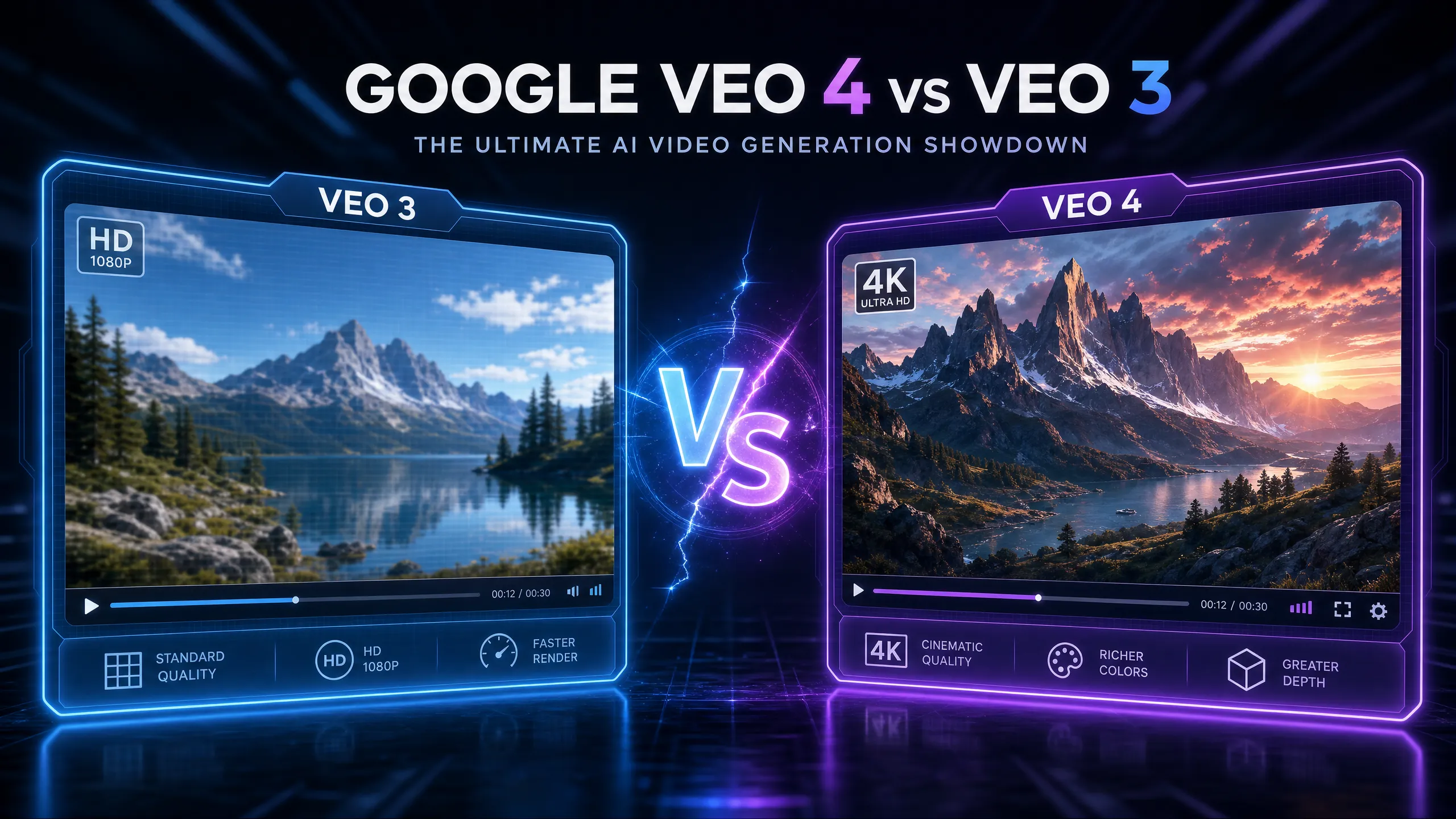
Veo 3: Capped at roughly 8 to 15 seconds per generation (depending on the specific pipeline and platform).Veo 4: Expected to generate 10 to 30 seconds of continuous, high-quality video from a single prompt.The Upgrade: This is perhaps the most requested feature from the AI video community. While 8 seconds is sufficient for B-roll or stock footage replacements, it is rarely enough for narrative storytelling. Veo 4's ability to hold a coherent scene for up to 30 seconds without the physics engine collapsing or the subject mutating is a game-changer for commercial and narrative creators.
2. Resolution and Visual Fidelity
Veo 3: Maximum output of 1080p HD.Veo 4: Cinematic 4K Ultra HD resolution.The Upgrade: Veo 3 produces excellent HD video, but Veo 4 pushes into true professional territory. The jump to 4K isn't just about pixel density; it brings a massive improvement in temporal consistency. The micro-flickering, edge artifacting, and unnatural morphing that occasionally plagued Veo 3 generations are expected to be virtually eliminated in Veo 4.
3. Narrative Storyboarding
Veo 3: Single-shot generation. Creating a sequence requires generating multiple individual clips and editing them together manually.Veo 4: Native storyboarding capabilities.The Upgrade: This is where Veo 4 transitions from a "clip generator" to a "scene director." Veo 4 allows users to prompt a sequence of events. For example, a user could prompt: "Wide shot of a futuristic city, panning down to a street-level medium shot of a detective, cutting to a close-up of the detective picking up a glowing artifact." Veo 4 is designed to understand and execute these multi-angle transitions within a single generated file, maintaining visual consistency throughout.
4. Character Consistency and Avatars
Veo 3: Moderate to good consistency, but characters often drift in appearance when camera angles change drastically or the video runs too long.Veo 4: Advanced character anchoring and zero-shot avatars.The Upgrade: Veo 4 introduces robust character anchoring technology. Once a character's features are established, the model locks them in, ensuring the face, hair, and clothing remain identical across different shots and complex movements. Furthermore, Veo 4 is expected to introduce zero-shot personalized avatars, allowing users to upload a single photo to generate a video of that specific person, a feature Veo 3 lacks natively.
5. Audio Integration
Veo 3 (3.1): Introduced impressive native audio, including ambient sounds and basic sound effects synchronized to the video.Veo 4: High-fidelity native audio with advanced synchronization.The Upgrade: While Veo 3.1 brought audio to the table, Veo 4 refines it. The audio generation in Veo 4 is expected to feature higher fidelity, better spatial awareness (e.g., sound changing as the camera moves closer to the source), and potentially more robust dialogue generation capabilities synced to lip movements.
Comparison Summary Table
To summarize the leap between the two models, here is a quick reference guide:
| Feature | Google Veo 3 | Google Veo 4 |
|---|---|---|
| Max Video Length | \~8 to 15 seconds | 10 to 30 seconds |
| Maximum Resolution | 1080p HD | Up to 4K Ultra HD |
| Storyboarding | Not supported (Single shot) | Fully supported (Multi-shot sequences) |
| Character Consistency | Moderate | Excellent (Advanced Anchoring) |
| Custom Avatars | Not natively supported | Zero-shot personalized avatars |
| Camera Control | Basic cinematic movements | Advanced multi-angle control |
What This Means for Creators
If you are currently using Veo 3, the upgrade to Veo 4 will significantly reduce the friction in your creative workflow.Currently, producing a 30-second AI commercial requires generating perhaps 15 different clips, manually matching the color grading, struggling to keep the main actor looking identical, and stitching it all together in external editing software.Veo 4 promises to handle the heavy lifting of continuity and sequencing natively. This allows creators to spend less time "prompt engineering" to fix errors, and more time actually directing their vision.When Google Veo 4 officially launches, all-in-one AI media platforms like SharkFoto will be the ideal environments to leverage this power. By combining Veo 4's cinematic video generation with existing AI image, audio, and post-processing tools, creators will have a complete virtual Hollywood studio directly in their browser.The leap from Veo 3 to Veo 4 is not just a step forward; it is a giant leap toward the future of professional AI filmmaking.