- "aspect_ratio": "16:9",
- "prompt": ,
- "duration": 5,
- "sound": false
No effects available
AI Text to Video Generator
Describe any scene in plain language and SharkFoto generates a high-quality, realistic video with lifelike motion — and optional audio on supported models — in minutes.
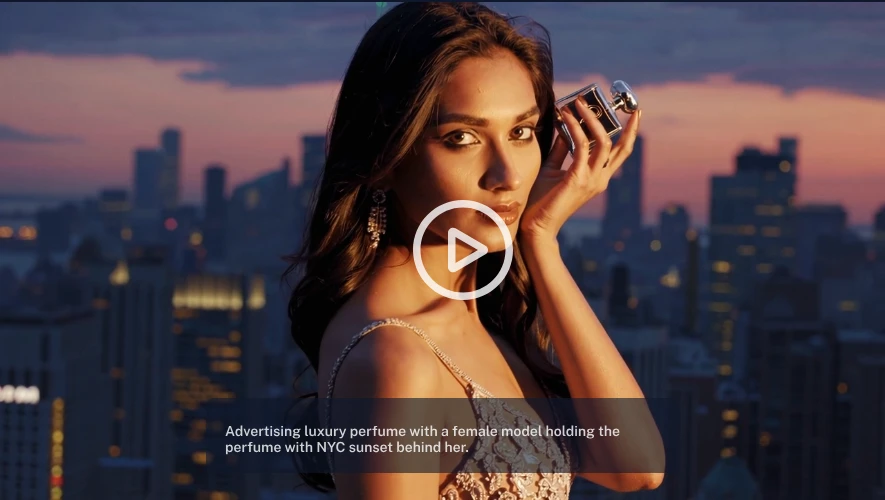
What is an AI text to video generator?
An AI text to video generator turns a written prompt into a fully animated video clip without cameras, footage, or editing software. You type a description of the scene, action, and style, and a video diffusion model synthesizes each frame, adds coherent motion, and can optionally add matching audio on supported models. SharkFoto routes your prompt to leading models including Sora 2, Veo 3.1, Kling O3, and Seedance 2.0, supports resolutions up to 1080p and clips of several seconds, and outputs standard MP4 files that are watermark-free and cleared for commercial use.
At a glance
Why choose SharkFoto Text to Video
A single prompt box connected to the current generation of video AI models, tuned for realistic motion, sound, and creative control.
Next-generation AI models
Generate with today's leading video models — Sora 2, Veo 3.1, Kling O3, Seedance 2.0, Seedance 1.5 Pro, and Wan 2.6 — from one interface, with no separate accounts or setup.
Smart scene understanding
The models parse your prompt for subjects, actions, camera moves, and lighting, then compose a coherent shot rather than a loose collage of frames.
Enhanced motion control
Direct camera pans, zooms, and subject movement through prompt wording to get cinematic, physically believable motion instead of static or jittery output.
Optional audio on supported models
Turn on Generate Audio when it's available and supported models add synchronized sound effects, ambience, and spoken lines. Other models output silent clips, which you can score with SharkFoto's Text to Music tool.
Fast generation
Clips render in the background and are ready to preview and download in minutes, letting you iterate on prompts quickly.
Prompt-based creativity
Cover cinematic landscapes, character and lifestyle scenes, dynamic action, urban life, nature, and fantasy or sci-fi worlds using plain-language descriptions.
How It Works
Generate your video in four simple steps.
Write your prompt
Describe your scene, action, or story in natural language, including subject, setting, mood, and any camera movement.
Choose a model
Select a video model such as Sora 2, Veo 3.1, or Kling O3 based on the look, motion, and audio you need.
Choose settings
Set the duration, resolution, and aspect ratio to match where the video will be published.
Generate video
The AI transforms your prompt into cinematic motion — with optional audio on supported models — then lets you preview and download the MP4.
What you can create
Social & ad clips
Produce vertical 9:16 clips for TikTok, Reels, and Shorts, or 16:9 spots for YouTube pre-roll, straight from a script line.
Cinematic landscapes
Generate sweeping establishing shots of mountains, coastlines, and skies with realistic light and atmospheric motion.
Character & lifestyle scenes
Bring people and everyday moments to life for concept videos, mood films, and storyboards without a shoot.
Dynamic action
Create fast-moving action, sports, and vehicle sequences with camera tracking and believable physics.
Fantasy & sci-fi worlds
Visualize imaginary environments, creatures, and futuristic cities that would be impossible or costly to film.
Explainers & marketing
Turn product descriptions and taglines into short branded videos for landing pages, emails, and pitches.
Compare the text-to-video models
Each model has a different balance of motion quality, prompt adherence, audio, and speed. Pick the one that matches your clip, or try several and compare.
Strength. OpenAI's flagship with striking realism, strong physical simulation, and synchronized audio.
Best for. Photoreal cinematic scenes and clips that need built-in sound.
Strength. Google's flagship known for cinematic quality, accurate prompt following, and native audio.
Best for. Premium narrative and ad clips with dialogue and ambient sound.
Strength. Kuaishou's flagship known for smooth, physically consistent motion and expressive characters.
Best for. Character-driven and action scenes that need believable movement.
Strength. ByteDance's latest model with strong prompt adherence, natural motion, and high visual fidelity.
Best for. High-quality cinematic clips where realism and detail matter most.
Strength. ByteDance's proven pro model balancing motion quality, prompt adherence, and speed.
Best for. Polished, reliable clips when you want quality without the longest render times.
Strength. Alibaba's model with strong text understanding and versatile scene composition.
Best for. Detailed prompts and general-purpose video across many subjects.
Frequently asked questions
Which AI models power SharkFoto Text to Video?
Is it free to use?
Can I use the videos commercially?
Do the videos have a watermark?
Can the AI add audio or voiceover?
How long does generation take?
What resolution and length can I generate?
How do I write a good prompt?
What format is the output?
Is my data private?
Things to keep in mind
Short clip length — Each generation produces a few seconds of video. Longer stories need to be built from multiple clips and stitched together in an editor.
Prompt sensitivity — Results depend heavily on how you describe the scene. Vague prompts can produce unexpected motion or composition, so expect to refine wording across a few tries.
Fine detail and text — Small details such as hands, fast motion, and readable on-screen text can still render imperfectly, as with all current video AI models.
Related tools & models
Create Cinematic Videos Instantly from Text
Describe your scene and let SharkFoto's AI turn it into a high-quality video with lifelike motion — and optional audio on supported models — no camera or editing required.