- "aspect_ratio": "4:3",
- "image_input": [],
- "output_format": "jpeg"
AI Smile Filter
No effects available
What Is the AI Smile Filter?
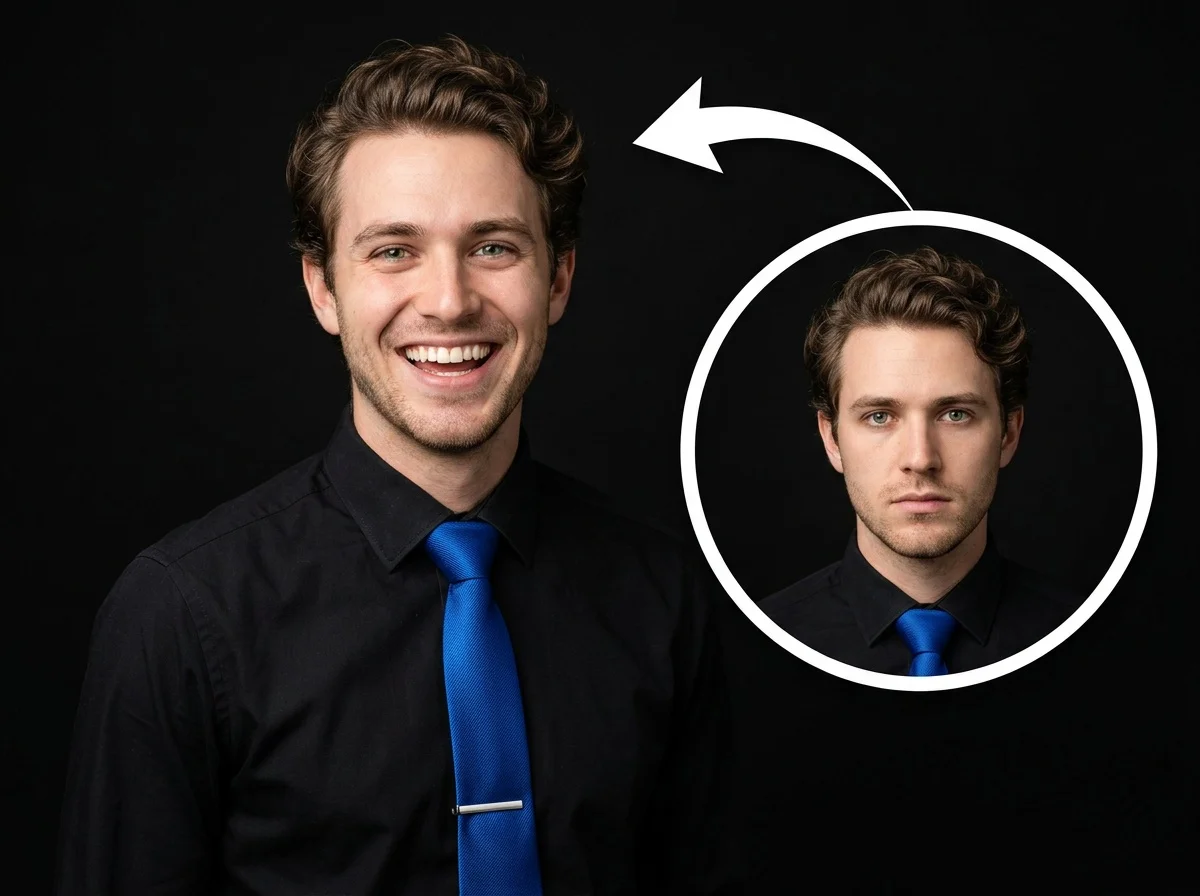
Part of the Persona Magic category, the AI Smile Filter is a fully automated image transformation tool. It detects the subject's face and seamlessly generates a warm, approachable smile without altering anything else in the photo.
Authentic & Natural Look
The generated smile blends seamlessly with the subject's unique facial features. It maintains completely natural lip shapes, teeth alignment, and smile lines for a photorealistic result.
Preserves Original Lighting
The AI intelligently analyzes the environment. The newly added smile perfectly complements the overall lighting, shadows, and mood of your original image without looking pasted on.
Keeps Attire Unchanged
Only the facial expression is modified. Hair, clothing, accessories, and the background remain exactly as they were, ensuring the integrity of your original photo.
Zero Manual Editing
A fully automated process. There are no complicated sliders, morphing tools, or settings to adjust. Simply upload the photo and let the AI do the magic instantly.
Get a Radiant Smile in 3 Steps
Upload Your Photo
Upload any portrait, headshot, or selfie. SharkFoto AI automatically detects the subject's face and prepares it for the transformation.
Apply the Effect
Select the AI Smile Filter. The AI handles everything automatically—no sliders or manual settings required—generating a perfect, authentic smile.
Download & Share
Your enhanced photo is rendered in seconds. Download the high-resolution image and use it for your social media, resume, or personal collection.
Why Users Love This Effect
Photorealistic Rendering
Generates highly detailed teeth, lips, and smile lines that look completely natural, never artificial.
High-Resolution Output
Maintains the crisp, original quality of your photo without blurring or degrading the image details.
Instant Generation
SharkFoto's cloud AI pipeline processes and transforms your image in mere seconds.
No Watermark on Download
Download your finished, smiling portrait watermark-free and ready to publish everywhere.
Works on Any Face
Whether it's a casual selfie or a professional headshot, the AI adapts flawlessly to different face shapes and angles.
Flawless Integration
No unnatural blending edges; the smile looks exactly as if it was captured in the original moment.
Who Uses the AI Smile Filter?
From professionals looking for the perfect LinkedIn photo to casual users saving a great memory, the AI Smile Filter brings warmth to any image.
Professional Profiles
Turn a serious headshot into a warm, approachable profile picture perfect for LinkedIn or your resume.
Social Media Users
Brighten up your selfies and share positive, radiant vibes with your followers on Instagram and Facebook.
Group Photo Fixes
Fix that one person who forgot to smile in what is otherwise a perfect family or friend group shot.
Content Creators
Easily adjust the mood of your character or model photos for different campaign needs without reshoots.
Frequently Asked Questions
What type of photo works best?
Clear, front-facing portraits or selfies work best. The AI needs to clearly see the subject's face to apply the smile accurately and naturally.
Do I need to adjust any settings?
No. The AI Smile Filter is fully automated. It intelligently analyzes the face and generates the perfect smile without requiring any manual adjustments or input parameters.
Will it change my clothes or background?
Not at all. The AI is specifically trained to only modify the facial expression. Your attire, hairstyle, and the background will remain completely unchanged.
Do I need any photo editing skills?
None! Just upload your photo and click a button. SharkFoto handles all the complex blending, lighting matching, and rendering for you.
Can I use the generated image commercially?
Yes. Images generated on SharkFoto are yours to use commercially, making them perfect for marketing materials, company websites, or professional profiles.