
- "aspect_ratio": "9:16",
- "images": []
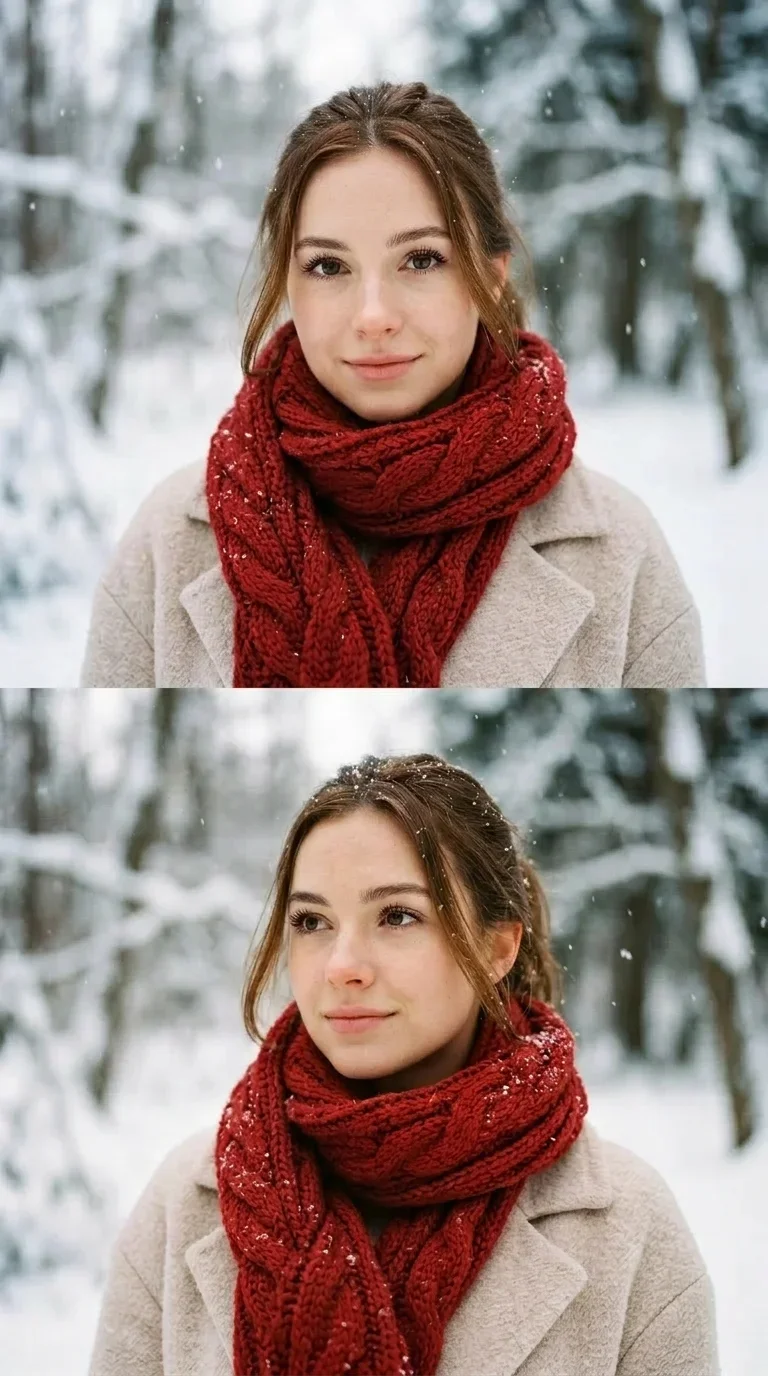
Winter Portrait Dual Frame
Nothing to see here... yet!
Ready to make something amazing? Give it a try.
What Is the Winter Portrait Dual Frame Effect?
The Winter Portrait Dual Frame Video Effect turns your photo into a split editorial portrait video. It creates two stacked close-up frames of the same subject, adds a snowy outdoor setting, and gives the result a soft winter fashion mood.
Dual Stacked Portrait Layout
The effect frames your subject in two vertical portrait panels, creating a premium split-screen look that feels like a winter fashion story rather than a standard single-photo animation.
Falling Snow Atmosphere
Fine snowflakes drift naturally across the portrait while the background stays softly blurred, giving the video a calm, seasonal, cinematic feel.
Cozy Winter Styling
A thick scarf and winter coat complete the portrait transformation, bringing a warm seasonal contrast to the cool outdoor snow scene.
Soft Editorial Motion
Instead of fast action, the video uses subtle portrait movement, gentle snow, and a slow push-in that keeps the focus on the subject’s winter look.
Create Your Winter Dual-Frame Video in 3 Steps
Upload Your Portrait
Choose a clear selfie, headshot, or half-body portrait. A well-lit photo with the face visible helps the AI preserve identity in the final video.
Select Winter Portrait Dual Frame
SharkFoto AI creates a stacked dual portrait, replaces the background with a snowy outdoor scene, and adds winter styling with a scarf and coat.
Download & Share
Export a vertical winter portrait video ready for TikTok, Instagram Reels, YouTube Shorts, profile updates, or seasonal greeting posts.
Why Creators Love This Winter Effect
Realistic Snow Detail
Snowflakes drift across both portrait frames while the background remains softly out of focus.
Two-Panel Editorial Framing
The stacked composition adds visual rhythm and makes a single portrait feel more cinematic.
9:16 Vertical Output
Optimized for short-form platforms, profile posts, and mobile-first seasonal content.
Identity-Preserving Portrait Style
The effect keeps the subject recognizable while restyling the outfit, background, and atmosphere.
Fast AI Generation
Create polished seasonal portrait videos without arranging a winter photoshoot.
Works with Portrait Photos
Selfies, headshots, and lifestyle portraits can all become winter-themed video posts.
Who Uses the Winter Portrait Dual Frame Effect?
This effect is made for creators, families, lifestyle pages, and brands that want a polished winter portrait without staging a snowy photo session.
Social Media Creators
Create refined seasonal portrait reels that stand out in the winter content feed.
Profile & Avatar Updates
Refresh profile photos and pinned posts with a snowy editorial video style.
Holiday Greetings
Turn a personal portrait into a warm winter greeting clip for friends, family, and followers.
Lifestyle & Fashion Pages
Add cozy winter styling and a magazine-like frame treatment to portraits and campaign teasers.
Frequently Asked Questions
What type of photo works best?
A clear portrait, selfie, or half-body photo with the face visible works best. Simple lighting and minimal obstruction help SharkFoto preserve the subject’s identity.
How long is the generated video?
The default preview is approximately 7 seconds, creating a short winter portrait loop suitable for mobile social platforms.
Does the effect change the background?
Yes. The original photo background is replaced with a softly blurred snowy outdoor scene so the final result feels like a winter portrait session.
Do I need video editing skills?
No. Upload a portrait, select the effect, and SharkFoto handles the winter styling, dual-frame layout, snow animation, and rendering.
Where can I access the Winter Portrait Dual Frame effect?
You can access it directly on SharkFoto.com. Sign up for a free account, upload your portrait, and start creating seasonal video content.