
- "aspect_ratio": "9:16",
- "images": []
Walking with My Clones
Nothing to see here... yet!
Ready to make something amazing? Give it a try.
What Is the Walking with My Clones Effect?
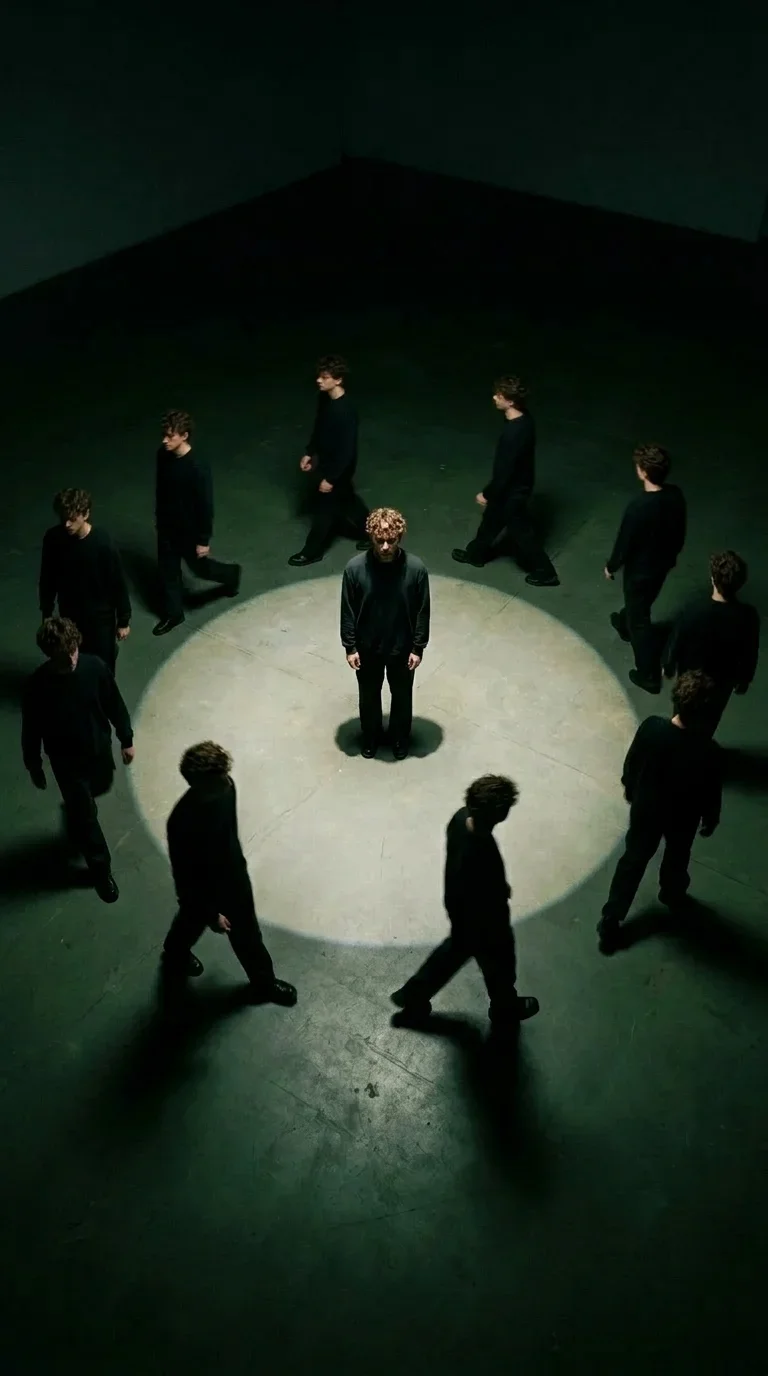
The Walking with My Clones Video Effect places your subject in a moody, high-angle art scene. One version stays centered under a spotlight while a crowd of matching clones walks around the frame, giving your photo a mysterious gallery-installation feel.
Overhead Spotlight Stage
A dark studio floor and circular overhead light isolate the subject in the center, creating a theatrical stage that feels minimal, cinematic, and intentionally surreal.
Multiple Identical Clones
The AI duplicates your subject into many matching versions, arranging them around the central figure so the whole frame feels like a living mirror maze.
Slow Walking Motion
The central subject stays still while the surrounding clones move at a calm walking pace, passing around the spotlight without touching or interrupting the main pose.
Moody Art-Film Look
High-contrast shadows, restrained colors, and a top-down composition give the effect a polished art-film aesthetic that works especially well for mysterious portraits and dramatic social edits.
Create Your Clone Walk Video in 3 Steps
Upload Your Photo
Upload a clear portrait or full-body photo. SharkFoto AI identifies the subject and prepares it for clone-based scene generation.
Select Walking with My Clones
Choose this effect to place your subject in a high-angle spotlight scene surrounded by walking duplicates.
Download & Share
Export a vertical clone-walk video ready for TikTok, Instagram Reels, YouTube Shorts, or any dramatic profile edit.
Why Creators Love This Effect
Photorealistic Clone Rendering
Creates multiple believable versions of the same subject with matching lighting, shadows, and scene perspective.
9:16 Vertical Video Output
Optimized for TikTok, Instagram Reels, and YouTube Shorts with a compact vertical composition.
Fast Generation
Render an atmospheric clone-walk clip quickly, then iterate with different portraits or looks.
No Watermark on Download
Download your finished video watermark-free and ready to publish across your social channels.
Works on Portrait Photos
Use a selfie, headshot, half-body, or full-body image with a clear subject for the strongest clone result.
Surreal Identity Aesthetic
Perfect for dramatic edits about self-reflection, alternate selves, mystery, and artistic persona building.
Who Uses the Walking with My Clones Effect?
This effect is made for creators who want a stylish identity-focused video that feels artistic, mysterious, and instantly recognizable in a social feed.
Social Media Creators
Create a scroll-stopping clone visual for TikTok, Reels, Shorts, profile teasers, and dramatic personal edits.
Digital Artists
Turn a portrait into a conceptual video about identity, repetition, memory, or alternate versions of the self.
Musicians & Performers
Build atmospheric teaser clips, album visuals, stage-persona edits, and moody promo videos without a studio shoot.
Personal Brands
Make a distinctive visual hook for announcements, launches, creator identity posts, and campaign intros.
Frequently Asked Questions
What type of photo works best?
A clear portrait, half-body, or full-body photo works best. Choose an image where the face and body outline are easy to see so the AI can create recognizable clones.
How long is the generated video?
The default output is approximately 4 seconds, designed as a short, loop-friendly social media hook.
Will the clones look like the uploaded subject?
Yes. The effect is designed to preserve the subject's recognizable appearance while arranging multiple matching versions inside the same spotlight scene.
Do I need any video editing skills?
No. Upload a photo, choose the effect, and SharkFoto handles the scene generation, cloning, animation, and rendering automatically.
Where can I access the Walking with My Clones effect?
You can access it directly on SharkFoto.com. Sign up for a free account to get started — no software download or installation required.