
- "aspect_ratio": "1:1",
- "images": []
My Portrait Gallery
Nothing to see here... yet!
Ready to make something amazing? Give it a try.
What Is the My Portrait Gallery Effect?
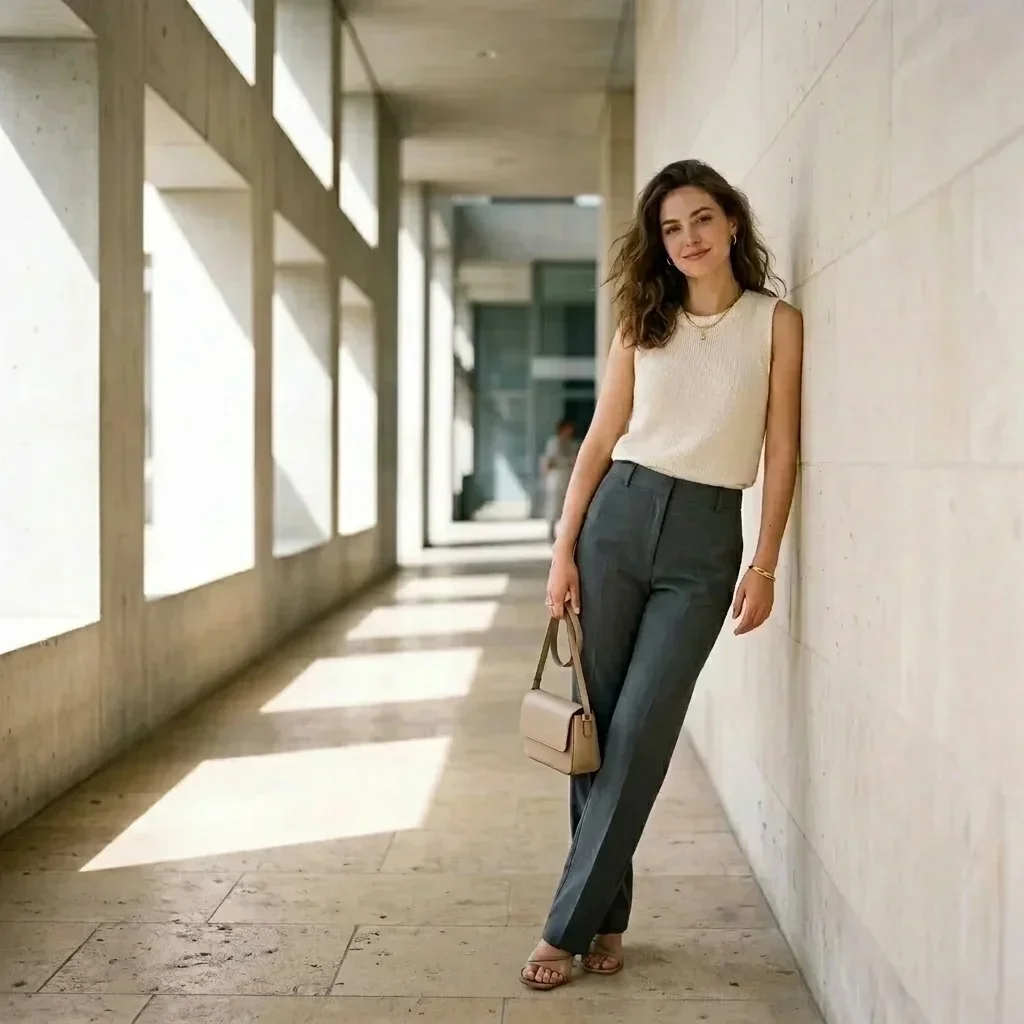
The My Portrait Gallery Video Effect turns a single personal image into an elegant art-gallery sequence. It begins with a polished editorial pose in modern architecture, then shifts into a calm exhibition space where the subject appears to admire a framed portrait.
Sunlit Architectural Opening
The effect opens in a bright stone corridor with repeating geometric lines, sharp daylight shadows, and a clean editorial composition that makes the uploaded subject feel like a magazine portrait.
Gallery Scene Transition
A smooth cinematic transition carries the viewer from the outdoor corridor into an indoor gallery, keeping the tone calm, curated, and visually premium.
Portrait-Focused Subject Motion
The subject begins in a composed fashion pose, then appears inside the gallery from a rear or three-quarter view, creating the feeling of entering an exhibition dedicated to their image.
Refined Editorial Aesthetic
Clean architecture, museum lighting, soft motion blur, and a sophisticated cinematic grade give the finished video a polished lifestyle and art-world look.
Create Your Portrait Gallery Video in 3 Steps
Upload One Portrait Photo
Choose a clear portrait or full-body image. SharkFoto AI uses it as the visual reference for the subject in the gallery sequence.
Select My Portrait Gallery
The effect places your subject into a bright architectural opening scene and prepares the elegant transition into a portrait exhibition.
Generate and Share
Create a short cinematic video for social posts, profile highlights, creative portfolios, or personal keepsakes.
Why Creators Love This Effect
One-Photo Workflow
A single uploaded image is enough to create a complete corridor-to-gallery video moment.
Art-Gallery Atmosphere
Museum lighting and framed portrait imagery give the clip a curated, elevated look.
Elegant Motion
The transition is smooth and understated, ideal for polished lifestyle and profile content.
Vertical Social Format
The preview is designed for short-form vertical sharing across modern social platforms.
Who Uses the My Portrait Gallery Effect?
Personal Branding
Create a refined profile highlight that feels artistic, stylish, and memorable.
Creators and Influencers
Turn a favorite portrait into a gallery-ready reveal for Reels, Shorts, TikTok, or stories.
Artists and Designers
Add a museum-inspired video asset to portfolio pages, launch posts, or visual identity experiments.
Gift and Keepsake Videos
Make a portrait feel like a curated exhibit for birthdays, anniversaries, and special memories.
My Portrait Gallery FAQ
What kind of photo works best?
Use a clear portrait or full-body image with the subject visible. Sharp lighting and an unobstructed subject help SharkFoto create a cleaner gallery video.
Does it require more than one image?
No. The effect is designed for one uploaded image and automatically builds the corridor scene, gallery transition, and framed portrait atmosphere.
How long is the video?
The effect creates a short, polished preview of about five seconds, ideal for social sharing and profile highlights.
Can I use it directly on SharkFoto?
Yes. Upload your image on SharkFoto, choose My Portrait Gallery, and generate your art-gallery style video in a few simple steps.
Turn Your Portrait into a Gallery Moment
Create a cinematic art-gallery video from one photo with elegant architecture, curated lighting, and a refined portrait reveal.
Try It Free