
- "aspect_ratio": "9:16",
- "image_input": []
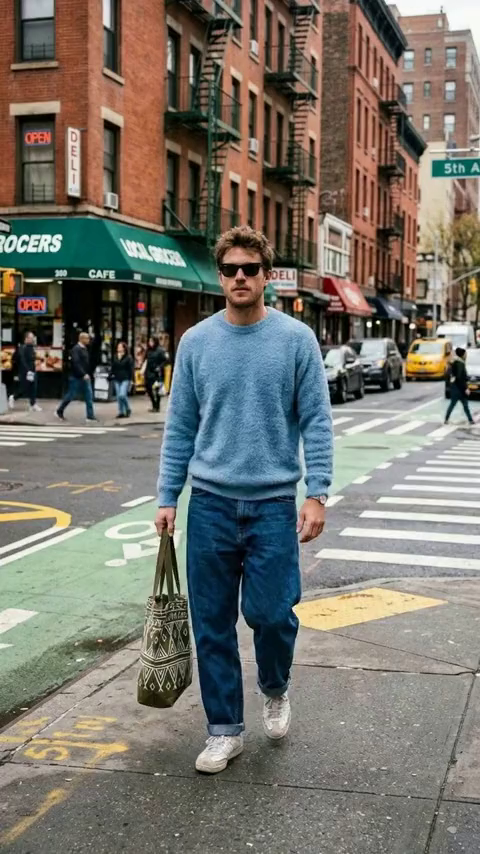
Interrogation Room
Nothing to see here... yet!
Ready to make something amazing? Give it a try.
What Is the Interrogation Room Effect?
The Interrogation Room Video Effect is a dramatic "Persona Switch" transformation. Our AI takes your standard photo and instantly transports your subject into a tense, cinematic police interrogation setting, complete with moody lighting and a suspenseful freeze-frame finish.
Dramatic Persona Switch
Watch your everyday photo seamlessly shift into a completely new character. The AI automatically redesigns the subject's environment and mood, placing them squarely on the other side of the detective's table.
Smooth Transition & Freeze
The video features a silky-smooth transition from your original image into the gritty new setting, culminating in a striking freeze-frame that locks in the tension and maximizes visual impact.
Harsh Cinematic Lighting
The scene is defined by high-contrast, moody lighting. A single glaring overhead light casts deep shadows, recreating the classic, gritty aesthetic of a true-crime documentary or thriller film.
100% AI Automated
No complex editing or manual tweaking required. The AI intelligently analyzes your photo and automatically generates the entire scene, the transition, and the final look in just seconds.
Enter the Interrogation Room in 3 Steps
Upload Your Photo
Upload any portrait or clear picture of a person. SharkFoto AI automatically detects the subject and prepares them for the dramatic transition.
Select the Effect
Choose "Interrogation Room" from the Persona Switch gallery. There are no complicated settings—our AI fully automates the lighting, background, and transformation.
Download & Share
In just seconds, your cinematic video is ready. Download it watermark-free and share your intense new persona on TikTok, Instagram, or YouTube Shorts.
Why Creators Love This Effect
Zero Manual Editing
Everything is pre-configured. You don't need to adjust lighting or prompt the AI—it delivers the perfect cinematic output automatically.
Instant Generation
SharkFoto's fast cloud processing creates your dynamic transition and freeze-frame video in mere seconds.
Cinematic Realism
High-quality textures, deep shadows, and realistic lighting give your video the genuine look of a high-budget thriller.
No Watermark
Download your finished transformation watermark-free, ensuring a clean, professional look for your social feeds.
Who Uses the Interrogation Room Effect?
Perfect for storytelling and viral trends, this effect lets anyone cast themselves in a suspenseful, cinematic role.
True Crime Creators
Create gripping visuals for podcast promos, mystery storytelling, or suspenseful video intros.
Social Media Trendsetters
Jump on the "villain era" or dramatic persona switch trends on TikTok and Instagram Reels.
Actors & Roleplayers
Visualize yourself in a gritty detective thriller without needing a studio or professional lighting setup.
Pranks & Fun
Give your friends a dramatic, cinematic makeover by putting their photos in the hot seat.
Frequently Asked Questions
Can I change the lighting or room details?
No, the Interrogation Room effect is fully automated. Our AI is pre-trained to deliver the perfect cinematic, high-contrast look instantly from just your uploaded photo, ensuring a flawless result every time.
What type of photo works best?
Clear portraits or upper-body shots work best. The AI uses your subject's face to create the smooth transition and map them into the new dramatic persona.
How long is the generated video?
The output is a short, high-impact clip that showcases the seamless transition from your original photo into the interrogation scene, ending in a dramatic freeze-frame.
Do I need any video editing skills?
None at all. Simply upload your photo, select the Interrogation Room effect, and SharkFoto handles everything—scene generation, compositing, the smooth transition, and the final freeze—automatically.