
- "aspect_ratio": "9:16",
- "images": []
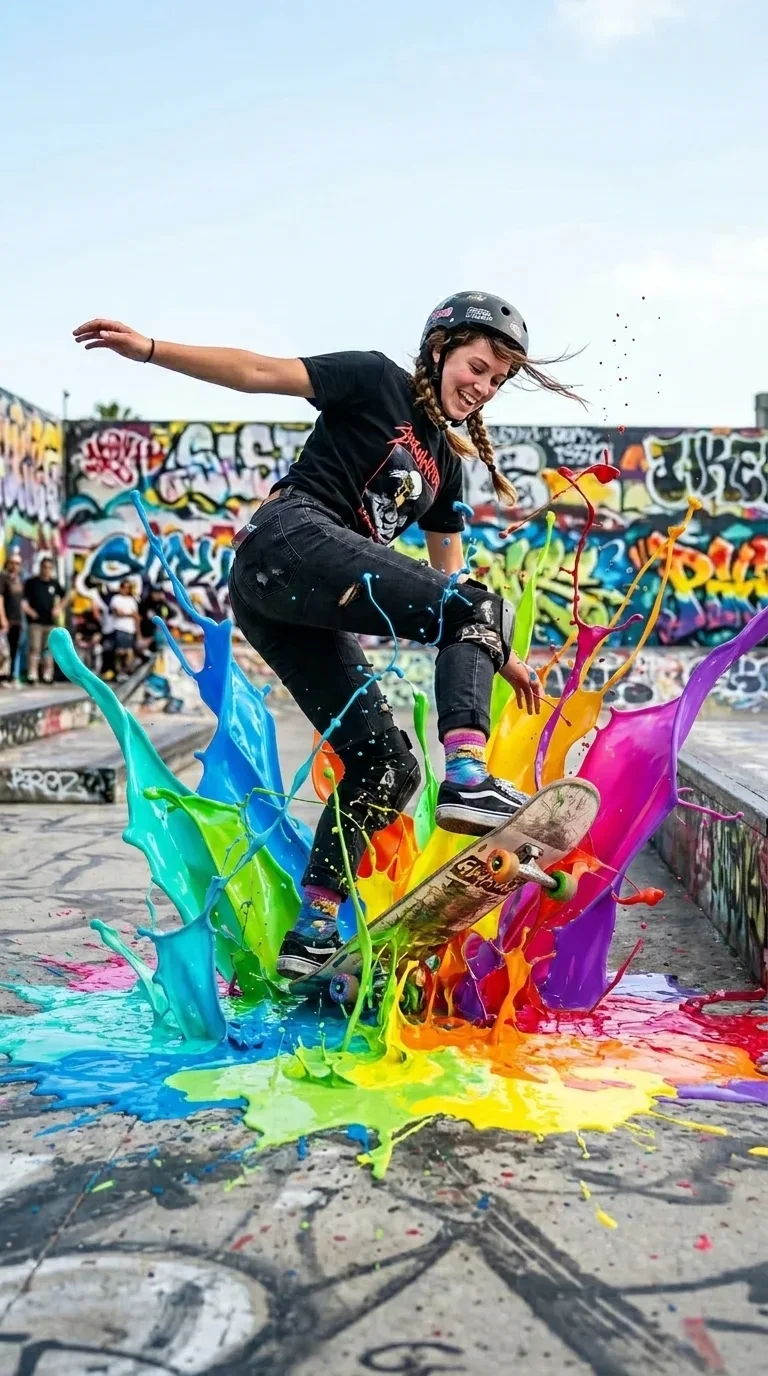
AI Paint Splash Video Effect
Nothing to see here... yet!
Ready to make something amazing? Give it a try.
What Is the AI Paint Splash Effect?
The AI Paint Splash Video Effect turns a still photo into a dynamic vertical clip where colorful liquid paint erupts around the subject. It is designed for portraits, full-body shots, action photos, and creative product-style visuals that need instant movement, color, and social-ready energy.
Explosive Paint Bursts
Glossy green, cyan, red, and golden paint waves rise from the lower frame, expanding from subtle ground splashes into dramatic foreground sheets and droplets.
Urban Action Scene
Your subject is placed into a bright outdoor street-art setting with concrete texture, graffiti color, and a clean vertical composition built for reels and shorts.
Subject-Focused Motion
The subject remains the hero while the surrounding paint creates movement, depth, and foreground energy without changing the subject's identity.
High-Impact Color Style
The look combines realistic daylight photography with stylized slow-motion liquid physics, giving each clip a bold poster-like finish.
Create Your Paint Splash Video in 3 Steps
Upload Your Photo
Choose a portrait, full-body image, or clear subject photo. SharkFoto AI prepares the subject for a vertical action scene.
Apply Paint Splash
Select the AI Paint Splash effect and let the model build the urban setting, opening pose, and first bursts of color.
Download & Share
Export a short, colorful vertical video ready for TikTok, Instagram Reels, YouTube Shorts, and creative profile posts.
Why Creators Love This Effect
A fast way to add movement, color, and visual drama to ordinary photos.
Vertical-First Format
Optimized for short-form mobile feeds with a compact 9:16 composition.
Vivid Liquid Detail
Paint sheets, droplets, splashes, and glossy highlights add instant depth and texture.
Works With Many Subjects
Use people, products, mascots, or creative objects as the central subject.
Instant Social Energy
Designed for thumbnails, hooks, reveals, profile edits, and colorful campaign posts.
Make Any Photo Pop With Color
Creator Portraits
Turn personal photos into bold profile videos and content hooks.
Product Reveals
Add colorful impact around fashion items, accessories, toys, or creative objects.
Music & Dance Posts
Give motion clips a punchy, stage-like burst of color and rhythm.
Brand Campaigns
Create colorful campaign visuals for launches, seasonal posts, and energetic ads.
AI Paint Splash Video Effect FAQ
What kind of photo works best?
Use a clear photo with one main subject. Portraits, full-body shots, products, and creative objects all work well when the subject is easy to identify.
Does the effect change my subject?
The effect is designed to preserve the subject's core appearance while changing the scene and adding colorful paint-splash motion around it.
How long is the generated video?
The preview effect is built as a short vertical clip, ideal for fast social sharing and attention-grabbing loops.
Can I use it for product photos?
Yes. The paint-splash effect is subject-agnostic, so it can add colorful movement to products, objects, characters, and people.
Where should I post the result?
The vertical format is well suited for TikTok, Instagram Reels, YouTube Shorts, stories, profile videos, and campaign teasers.