
- "aspect_ratio": "$empty",
- "images": []
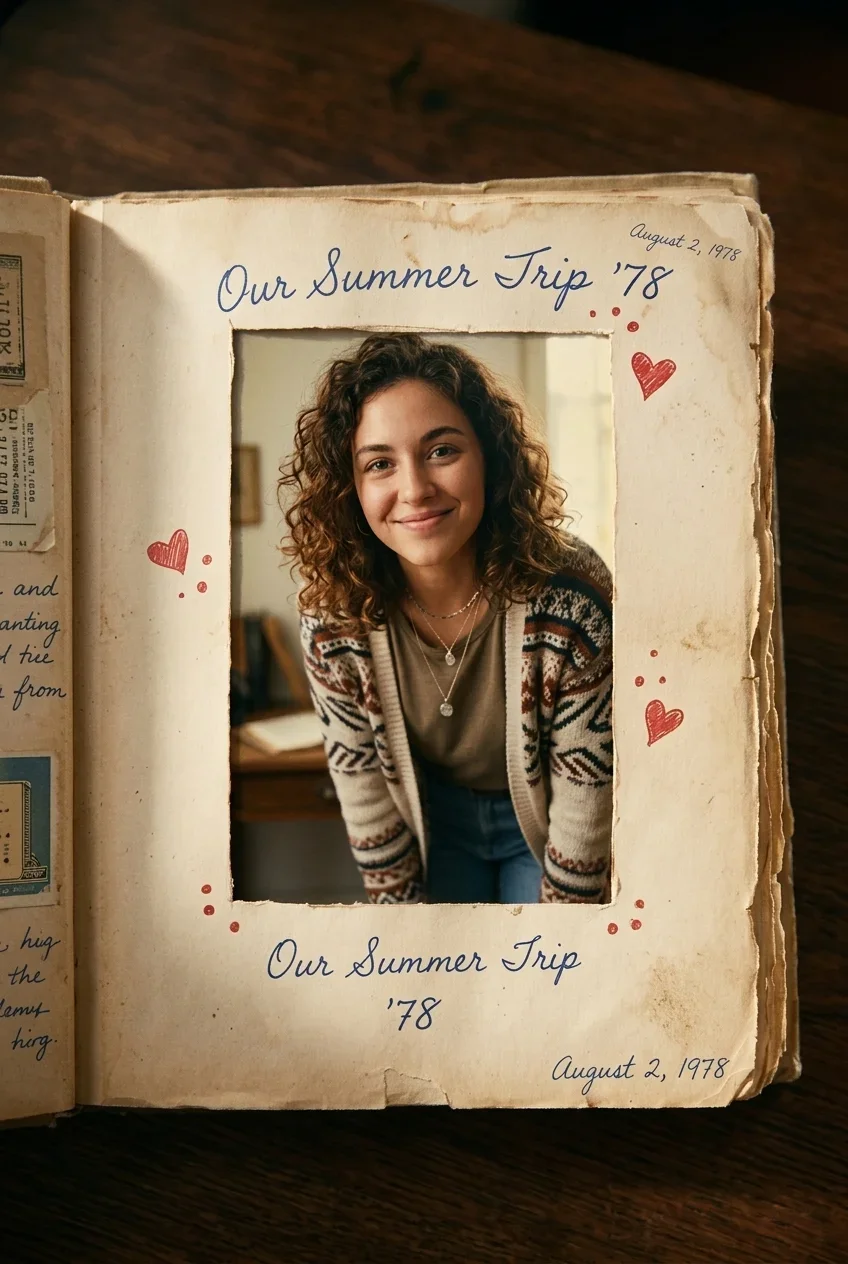
AI Out of Frame Effect
Nothing to see here... yet!
Ready to make something amazing? Give it a try.
What Is the AI Out of Frame Effect?
The AI Out of Frame Effect places your subject inside a stylized printed photo, then animates it climbing out of the picture plane and moving into the foreground. It is designed for portraits, pets, products, collectibles, characters, and creative objects that deserve a fun dimensional reveal.
Frame-Breaking Illusion
Your subject begins inside a flat printed photo, then crosses the border as if the paper frame has become a real physical edge. The result feels like a charming mini scene rather than a simple zoom or pan.
Scrapbook-Style Scene
A warm handmade-paper environment, soft shadows, collage textures, and decorative details give the effect a nostalgic crafted look that works beautifully for playful social posts and personal memories.
Forward Motion and Depth
The animation emphasizes depth: the subject leans forward, steps out, grows larger in the foreground, and moves across the scene with natural perspective and motion blur.
Subject-Agnostic Creativity
Use it with people, pets, toys, products, artwork, mascots, or any clear subject. The effect focuses on the visual trick of leaving the frame while preserving the core appearance of your uploaded image.
Create Your Out-of-Frame Video in 3 Steps
Upload Your Photo
Choose a clear photo with one main subject. Portraits, pets, objects, toys, and products all work well when the subject is easy to recognize.
Select AI Out of Frame Effect
SharkFoto places your subject into a crafted photo-frame scene and prepares the perspective needed for the subject to cross the picture boundary.
Generate and Share
Create a short AI video where the subject climbs forward, steps into the foreground, and exits the frame with a playful cinematic reveal.
Why Creators Love This Effect
The effect combines AI scene composition, depth-aware motion, and a universally understandable visual trick that instantly makes photos more engaging.
Photorealistic Frame Interaction
The subject appears to touch, cross, and leave the printed border rather than simply floating over it.
Works with Many Subjects
Use a human portrait, pet photo, product image, toy, mascot, or artwork as the hero subject.
Charming Handmade Aesthetic
Aged paper, collage textures, and warm lighting create a crafted visual style that feels personal and memorable.
Share-Ready Short Video
Generate a concise animated clip that is easy to post, remix, or use as a creative intro.
No Editing Skills Needed
Upload an image, choose the effect, and let SharkFoto handle scene setup, motion, and rendering.
Great for Surprise Reveals
The subject's movement from flat image to foreground makes the clip immediately understandable and satisfying to watch.
Who Uses the AI Out of Frame Effect?
Because the concept is subject-agnostic, it can support personal memories, social entertainment, visual marketing, and character-based storytelling.
Pet and Family Creators
Make pets, kids, loved ones, or personal snapshots feel like they are stepping out of a memory page.
Social Media Storytellers
Create scroll-stopping illusions for short-form platforms, profile posts, reaction clips, and playful announcements.
Product and Brand Teams
Bring products, packaging, collectibles, and mascot characters out of a picture frame for a memorable reveal.
Artists and Character Fans
Animate drawings, avatars, stickers, and fictional characters with a simple illusion that adds depth and personality.
AI Out of Frame Effect Questions
What kind of photo works best?
Use a clear image with one recognizable subject. Photos with visible outlines, good lighting, and minimal obstruction usually produce the strongest frame-breaking illusion.
Can I use it for objects instead of people?
Yes. The effect is designed for any subject, including pets, products, toys, artwork, mascots, collectibles, and human portraits.
How long is the generated video?
The preview is designed as a short effect video of about five seconds, ideal for quick social posts, intros, and shareable visual moments.
Do I need video editing experience?
No. SharkFoto handles the AI scene setup, motion generation, and output. You only need to upload an image and choose the effect.
Where can I use this effect?
You can use the AI Out of Frame Effect directly on SharkFoto. Upload your image, generate the video, and download or share the finished result.