
- "aspect_ratio": "9:16",
- "images": []
AI Mermaid Video Effect
Nothing to see here... yet!
Ready to make something amazing? Give it a try.
What Is the AI Mermaid Video Effect?
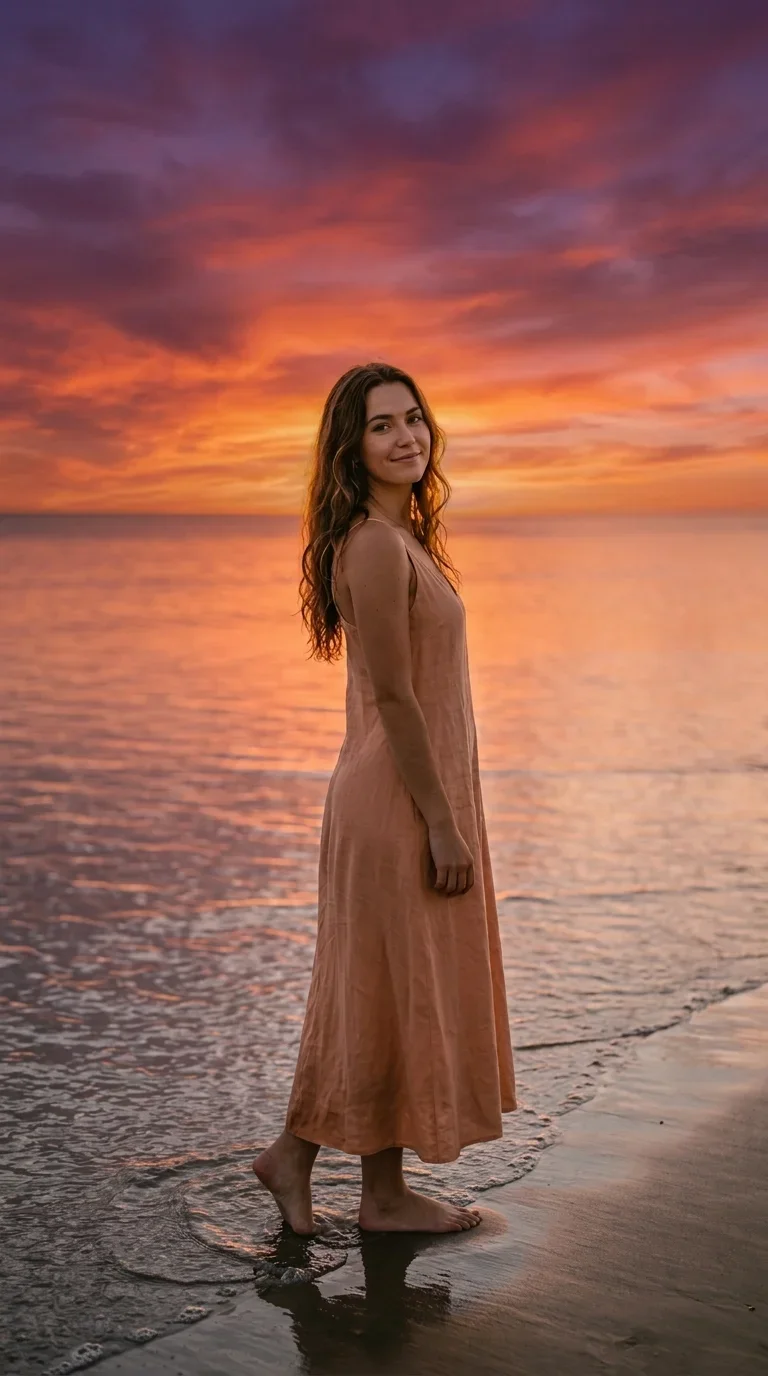
The AI Mermaid Video Effect transforms a portrait into a cinematic fantasy sequence: a sunset shoreline opening, a wave rising around the subject, and a final underwater mermaid reveal with glowing water and bubbles.
Sunset Shoreline Opening
The video starts with the subject by the sea at dusk, framed in a vertical portrait with warm sky colors and calm ocean light before the fantasy reveal begins.
Rising Wave Transition
A foamy wave rises around the subject and fills the foreground, creating a natural transition from beach light into the underwater world.
Completed Mermaid Reveal
The final shot presents the subject as a completed mermaid, floating upright with a shimmering tail, drifting hair, and magical underwater light.
Dreamy Fantasy Finish
Ocean shimmer, bubbles, surface light rays, and soft aquatic colors give the clip a polished fantasy-edit look without needing manual compositing.
Create Your AI Mermaid Video in 3 Steps
Upload Your Photo
Upload one portrait or full-body photo. SharkFoto AI prepares the subject for a vertical fantasy transformation video.
Select AI Mermaid Effect
Choose the AI Mermaid effect and let the system build the shoreline opening, wave transition, and underwater mermaid reveal.
Download and Share
Export your finished vertical mermaid video for TikTok, Reels, Shorts, profile edits, fantasy content, or creative story posts.
Fantasy Mermaid Video, Made Simple
Create a polished ocean fantasy sequence from a single image, complete with coherent scene staging, wave motion, and an underwater finish.
One-Photo Input
Start with just one image and generate a complete shoreline-to-underwater mermaid clip.
Cinematic Water Motion
Rising waves and splashes create a visually motivated transition into the underwater reveal.
Magical Underwater Look
Bubbles, surface rays, drifting hair, and aquatic color tones complete the fantasy atmosphere.
Vertical Social Format
The effect is designed for 9:16 videos that feel native on modern social platforms.
Where This Mermaid Effect Shines
Use the AI Mermaid Video Effect for fantasy portraits, ocean-themed edits, cosplay previews, summer content, beauty transformations, profile videos, birthday clips, and short-form storytelling.
AI Mermaid Video Effect FAQ
What kind of photo works best?
A clear portrait or full-body image works best. Photos with visible face and body orientation help the AI preserve identity while building the mermaid scene.
Does the effect need more than one image?
No. This effect is designed for a single uploaded image and creates the full beach-to-underwater transformation from that one reference.
How long is the generated video?
The preview is a short vertical transformation clip, ideal for quick social sharing and profile-style fantasy edits.
Can I use it directly on SharkFoto?
Yes. Upload your image on SharkFoto, select the AI Mermaid Video Effect, and generate your fantasy mermaid clip in the effect workflow.